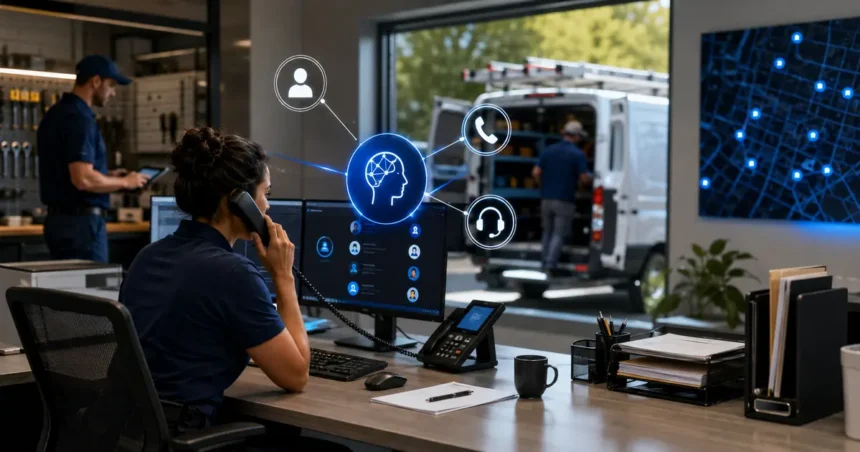
AI Receptionists for Home Service Businesses: Complete Buyer’s Guide should help you evaluate more than a voice demo. A convincing conversation is only the front end. The business result depends on service information, calendar rules, escalation, integration, data handling, reporting and the provider’s response when the system gets something wrong.
- Quick answer
- What an AI receptionist can realistically do
- Decide which role you are buying
- Map your real call types
- The 12 capabilities that matter
- 1. Natural interruption handling
- 2. Accurate lead capture
- 3. Service-area control
- 4. Booking constraints
- 5. Emergency handling
- 6. Human transfer
- 7. Existing-customer recognition
- 8. Multilingual support
- 9. CRM or field-service integration
- 10. Monitoring and audit
- 11. Customization and change control
- 12. Support and incident response
- Build a scripted vendor test
- Understand the pricing model
- Privacy, consent and communications rules
- A safe rollout plan
- Phase 1: Internal testing
- Phase 2: After-hours or overflow
- Phase 3: Controlled booking
- Phase 4: Expansion
- Metrics that reveal real performance
- Red flags during selection
- Implementation details to put in writing
- Frequently asked questions
- What should the internal owner review every week?
- Should the lowest-priced provider win?
- Should an AI receptionist replace the office phone team?
- Can it book jobs accurately?
- Should callers be told they are speaking with AI?
- How long should the pilot run?
- Related Oivic guides
- Authoritative resources
- Test the difficult calls
Quick answer
Choose an AI receptionist by testing it with your real call types. Evaluate answer quality, interruption handling, service-area rules, booking accuracy, human transfer, CRM integration, privacy, usage pricing and support. Begin with overflow or after-hours calls and review every conversation before expanding.
What an AI receptionist can realistically do
Current home service products may answer calls or texts, capture contact and job information, respond to approved questions, book or request appointments, take messages, create summaries and transfer selected calls. Jobber and Housecall Pro, for example, describe AI receptionist capabilities connected to their field service platforms.
The word “can” needs context. Booking accuracy depends on the calendar, service durations, territories, employee skills and buffers configured by the contractor. Question answering depends on current approved information. Transfer performance depends on reachable people and clear rules.
Decide which role you are buying
Providers may sound similar while filling different roles:
- After-hours coverage: answers when the office is closed.
- Overflow: handles calls after a ring threshold or when staff are busy.
- Lead intake: collects details and creates a callback task.
- Booking assistant: offers approved appointment types and times.
- Front-line receptionist: handles a broader mix of new and existing customers.
Start with the narrowest role that solves the business problem. A company trying to recover after-hours leads does not need to automate billing disputes and warranty conversations on day one.
Map your real call types
Review several weeks of call records and group conversations:
- New service request
- Emergency or safety concern
- Existing appointment change
- Estimate status
- Billing or payment question
- Warranty or complaint
- Vendor, applicant or spam call
For each group, define the desired action: answer, capture, book, transfer or create a callback. This map becomes the test plan and prevents the provider from judging success only by easy new-lead calls.
The 12 capabilities that matter
1. Natural interruption handling
Callers interrupt, change subjects and provide details out of order. Test whether the system recovers without restarting or repeating long scripts.
2. Accurate lead capture
Verify names, phone numbers, addresses, service type, symptoms and preferred next step. Ask how the system confirms critical details.
3. Service-area control
ZIP codes may be insufficient for irregular territories. Test border locations and exclusions. The system should not promise service outside the approved area.
4. Booking constraints
Look for appointment type, duration, travel buffer, skills, capacity and lead-time rules. Complex work may need a provisional request rather than confirmed booking.
5. Emergency handling
Define approved safety language and immediate transfer. Do not expect a general model to diagnose whether a gas, electrical, structural, fire or water condition is safe.
6. Human transfer
Test transfers during business hours and after hours. Decide what happens when the designated person does not answer. The caller should not enter a loop.
7. Existing-customer recognition
When supported, verify how records are matched and which account details may be discussed. Similar names and shared phone numbers can create mistakes.
8. Multilingual support
Ask which languages and accents are supported, then test with real speakers. Do not rely only on a vendor claim.
9. CRM or field-service integration
Inspect the exact fields written, duplicate handling and whether transcripts, summaries and bookings appear in the correct record.
10. Monitoring and audit
You need conversation records, outcomes, transfers, failed bookings and staff corrections. Reporting should make failures visible.
11. Customization and change control
Determine who can edit greetings, services, prices and rules. Important changes should have an owner and test process.
12. Support and incident response
Ask how quickly the provider responds when calls fail, information is wrong or an integration stops. Identify support hours and escalation channels.
Build a scripted vendor test
Give every shortlisted provider the same scenarios:
- A routine request in the primary service area
- A customer who interrupts and changes the requested day
- An address just outside the territory
- An emergency phrase requiring transfer
- A request for an unavailable service
- A caller asking for a price the company does not quote by phone
- An existing customer rescheduling
- An angry caller requesting a person
Score factual accuracy, conversation effort, correct outcome and recovery. A natural voice with the wrong action should receive a low score.
Understand the pricing model
AI receptionist pricing may be packaged as an add-on, included with a higher platform plan, based on minutes or calls, or negotiated. Jobber states its receptionist is an add-on and included with its Plus plan; Housecall Pro describes CSR AI as sold separately. Verify current pages because terms change.
Normalize proposals using expected and peak call volume. Include the required platform, setup, usage, overages, integration, review time and contract commitment.
Privacy, consent and communications rules
Map what the system records, stores and writes to connected platforms. Review retention, training use, access controls, subprocessors and deletion. Collect only information needed for the call.
The FCC has confirmed that TCPA restrictions for artificial or prerecorded voices apply to AI-generated voices. Calling, consent, recording and disclosure requirements can depend on use and location. Obtain qualified legal guidance, especially for outbound calls, telemarketing and recordings.
A safe rollout plan
Phase 1: Internal testing
Configure approved information and run dozens of test calls. Correct service, territory, pricing and calendar data.
Phase 2: After-hours or overflow
Expose limited call types. Review every conversation and contact callers promptly when the system fails.
Phase 3: Controlled booking
Allow only appointment types with stable duration and skill requirements. Confirm bookings until accuracy is proven.
Phase 4: Expansion
Add call types only when current ones meet quality, transfer and customer-experience thresholds.
Metrics that reveal real performance
- Qualified calls answered
- Accurate lead records
- Confirmed bookings that remain valid
- Successful human transfers
- Caller abandonment
- Staff correction time
- Incremental completed-job gross profit
“Calls handled” is an activity metric. Pair it with accuracy and business outcomes.
Red flags during selection
- The vendor will not let you test difficult scenarios.
- Pricing cannot be explained using your volume.
- There is no clear human escalation path.
- The provider avoids data-retention questions.
- Booking rules are limited to an open calendar slot.
- Support responsibilities are unclear.
- The sales claim assumes every answered call becomes new revenue.
Implementation details to put in writing
The sales proposal should identify the phone numbers and hours covered, supported call types, connected systems, onboarding work, data migration, support hours and named responsibilities. Confirm whether the provider or contractor maintains services, prices, territories and booking rules.
Document how changes move from request to production. A new holiday schedule or territory should be tested before callers hear it. Ask whether previous configurations can be restored after an error.
Define ownership of recordings, transcripts, summaries, prompts and configuration. Confirm export formats and deletion after cancellation. If the provider relies on another phone, speech or AI company, understand which party handles an incident.
Finally, put the pilot acceptance test in the agreement or project record. Successful setup should mean more than “the line answers.” Require agreed performance on test calls, CRM records, booking rules, transfer and reporting.
Frequently asked questions
What should the internal owner review every week?
Review failed or abandoned calls, wrong answers, transfers, duplicate records, bookings changed by staff and customer complaints. Compare the findings with configuration changes. The owner should also confirm that services, hours, territories and on-call contacts remain current.
Should the lowest-priced provider win?
No. Use total cost per accurate qualified outcome. A higher fee may be justified by better integration and less correction work, while a cheap system that creates bad bookings may cost more operationally.
Ask finance and the office team to review the comparison together so the quoted price and hidden workload are considered in the same decision.
Record their assumptions.
Revisit the decision after the first full billing cycle.
Should an AI receptionist replace the office phone team?
Most contractors should first use it for after-hours, overflow or structured intake. Human staff remain valuable for exceptions, emotional conversations, coordination and commercial judgment.
Can it book jobs accurately?
It can book controlled appointment types when calendar data and constraints are accurate. Estimates, emergencies and variable-duration work may need provisional scheduling or human confirmation.
Should callers be told they are speaking with AI?
Do not mislead callers. Appropriate disclosure and consent depend on the channel and applicable requirements. Review the script with qualified counsel.
How long should the pilot run?
Use enough calls to include normal and difficult scenarios. Four to eight weeks is a useful range for many businesses, but low-volume or seasonal operations may need longer.
Related Oivic guides
- AI Receptionist vs. Answering Service
- Questions to Ask an AI Receptionist Provider
- Can an AI Receptionist Book Accurately?
Authoritative resources
Test the difficult calls
Use Oivic’s provider-question guide to compare vendors under the same conditions.