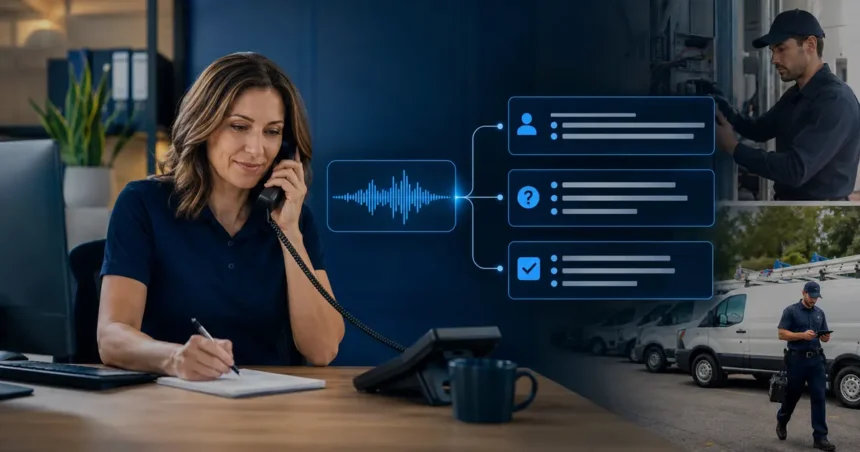
An AI call summary should do more than shorten a transcript. For a contractor, its value is whether the next employee can understand the request, see what was promised and take the correct action without replaying the entire call. That requires a defined summary format, links to the original evidence, careful handling of uncertainty and a workflow that turns selected details into assigned tasks.
- Quick answer
- A transcript, a summary and an action item are different records
- Choose the downstream decision first
- A practical summary template for new service calls
- Write rules for facts, uncertainty and omission
- Turn only stable information into CRM fields
- Build action items with ownership
- Handle emergency and safety-sensitive calls separately
- Protect sensitive information
- Test summaries with an answer key
- Use human review where consequences are high
- Measure whether summaries improve operations
- Common call-summary mistakes
- Summarizing the summary
- Creating one long paragraph
- Inferring customer emotion
- Hiding the source
- Automating tasks before testing notes
- Ignoring integration failures
- A four-week rollout
- Frequently asked questions
- Should an AI summary replace the call recording?
- How long should a contractor call summary be?
- Can AI create follow-up tasks automatically?
- What if the transcript is wrong?
- Can summaries be used to evaluate employees?
- What makes a good action item?
- Related Oivic guides
- Authoritative resources
- Make every summary lead somewhere
Quick answer
Use AI to summarize contractor calls into a fixed set of fields: caller and property, reason for contact, observed symptoms, urgency signals, commitments, appointment status, open questions and next action. Keep the recording or transcript available, separate customer statements from confirmed facts, require human review for high-risk calls, and measure whether summaries reduce handling time without increasing errors.
A transcript, a summary and an action item are different records
The transcript is the closest textual record of what was said, although speech recognition can still be wrong. The summary is a compressed interpretation. An action item is work assigned to a person or system. Combining all three into one paragraph makes mistakes difficult to find.
Preserve a path from the task back to the summary and from the summary back to the call. When a note says “customer approved replacement,” a reviewer should be able to verify the exact exchange rather than trusting an unsupported sentence.
Do not use the summary as evidence that a technician diagnosed a cause. A caller saying “the compressor is bad” remains a customer statement unless a qualified employee confirmed it.
Choose the downstream decision first
Different teams need different summaries. Dispatch needs access instructions, location, urgency and appointment status. An estimator needs project scope, budget or timing when volunteered, decision-makers and the agreed follow-up. A service manager handling a complaint needs the job history, customer concern, requested remedy and any promise made.
Begin with one call type and ask: what decision does the reader make next? Then design the fields around that decision. A universal “summarize this call” prompt usually produces polished prose but inconsistent records.
A practical summary template for new service calls
- Caller: name, verified callback number and relationship to the property
- Service location: verified address and relevant access notes
- Reason for call: one sentence in neutral language
- Customer observations: symptoms, timing and changes reported by the caller
- Urgency indicators: water, smoke, odor, loss of heat, vulnerable occupants or other approved signals
- Service fit: supported, outside scope or awaiting human review
- Appointment status: confirmed time, requested window or not scheduled
- Commitments: fees, callbacks, arrival windows or documents explicitly communicated
- Open questions: missing facts the office or technician still needs
- Next action: task, owner and deadline
Keep “customer observations” separate from “service fit.” This prevents a system-generated inference from becoming a field technician’s starting assumption.
Write rules for facts, uncertainty and omission
Tell the summarizer to use only information present in the call and approved connected records. It should mark unknown values as unknown, not fill them with a likely answer. If the address recognition is uncertain, the output should request verification rather than quietly choosing a street.
Require attribution where it matters: “caller reports water near the unit” is safer than “unit is leaking.” Use exact values for dates, amounts and appointment windows, and flag contradictions. If the caller first asks for Tuesday and later chooses Thursday, the summary should record Thursday and note that it was confirmed.
Define prohibited content. A summary should not add a diagnosis, customer sentiment score presented as fact, legal conclusion, credit judgment or invented reason for urgency.
Turn only stable information into CRM fields
Free-form notes are forgiving; structured fields trigger automation. An incorrectly classified trade, priority, location or appointment type can route the job to the wrong person. Begin by writing summaries into a note and letting staff confirm fields. Promote a field to automatic entry only after repeated tests show dependable mapping.
Use validation for phone numbers, postal codes, dates and customer matches. Decide how duplicates are resolved when a returning caller uses a different number or an existing customer calls about another property.
Record the source and time of AI-created notes when possible. Staff should know whether a field was captured during a call, imported from an old record or added after review.
Build action items with ownership
“Follow up” is not an actionable task. A complete task states the work, owner, due time and context. For example: “Maya—call customer by 10:30 a.m. to verify whether the electrical panel is affected before assigning the water-loss request.”
Create routing rules for common outcomes:
| Call outcome | Action | Owner | Target |
|---|---|---|---|
| Qualified new request, not booked | Confirm scope and schedule | CSR queue | Within the business-hours response target |
| Safety trigger | Review call and execute escalation plan | On-call lead | Immediate alert |
| Estimate follow-up | Review objections and contact decision-maker | Assigned salesperson | Same business day |
| Complaint or repeat failure | Review history before callback | Service manager | Priority queue |
| Invoice question | Verify account before discussing charges | Billing | Published response window |
Every queue needs a backup and an overdue rule. Automation that creates tasks faster than the team can close them merely creates a more organized backlog.
Handle emergency and safety-sensitive calls separately
A general summary can bury the most important sentence. For approved trigger phrases, create a visible alert outside the normal note and follow the company’s safety and escalation procedure. The AI should not decide that an emergency is resolved because the caller sounds calm.
Test indirect descriptions, transcription errors and multiple issues in one call. A person may begin with an appointment request and mention a burning smell later. The alert logic must examine the full interaction.
Have qualified people approve both the trigger set and response procedure for the company’s trades and locations.
Protect sensitive information
Call records can contain addresses, access codes, payment discussions, health details, tenant information and employee comments. Collect only what the workflow needs. Redact payment card numbers and account credentials rather than reproducing them in summaries.
Review provider retention, training use, subprocessors, encryption, access controls, deletion and export. Restrict recordings and transcripts more tightly than ordinary scheduling notes. Use individual accounts and remove access promptly when roles change.
The FTC has emphasized that AI providers must honor privacy and confidentiality commitments. Contractors also need to ensure that their own notices and actual practices match. Recording and consent rules vary, so obtain qualified guidance for the jurisdictions involved.
Test summaries with an answer key
Select 25 to 50 representative calls across trades, accents, noise conditions, call lengths and outcomes. Have an experienced employee create the expected structured result. Compare the AI output field by field.
Score more than writing quality:
- Identity and contact accuracy
- Address and appointment accuracy
- Correct distinction between reported symptoms and confirmed facts
- Capture of fees, promises and customer decisions
- Urgency recall, including subtle signals
- False statements or unsupported inferences
- Correct task, owner and due time
A summary that omits a minor detail is different from one that invents a commitment. Weight errors by operational consequence.
Use human review where consequences are high
Require review for complaints, warranty disputes, safety triggers, large estimates, payment issues, cancellations with fees and calls where the transcript confidence is poor. Routine new-lead notes may move with lighter sampling after the process proves reliable.
Give reviewers a small interface or checklist: confirm contact, reason, appointment, commitments, flags and action. Asking them to rewrite every paragraph removes the time benefit.
Track corrections. The correction reason is training data for the workflow even when the product does not automatically learn from it.
Measure whether summaries improve operations
Compare before and after on average after-call work, time until the next action, percentage of records with required fields, duplicate entry, staff correction time, callbacks caused by missing information and complaints tied to misunderstood promises.
Also interview field employees. A shorter note is not better if technicians replay more calls or arrive without access details. Measure usefulness at the point of work.
Review cost as subscription and usage charges plus integration, storage, supervision and correction time. The value may be faster response and better continuity, not only minutes saved.
Common call-summary mistakes
Summarizing the summary
The output is so short that it removes the detail the next person needs. Set required fields and allow concise supporting context.
Creating one long paragraph
Readers scan calls between other tasks. Use labels, bullets or CRM fields for high-value details.
Inferring customer emotion
Labels such as “hostile” can bias the next employee and may be wrong. Record relevant behavior or stated concern in neutral terms.
Hiding the source
Keep the call or transcript accessible according to policy so important claims can be verified.
Automating tasks before testing notes
Start with reviewable summaries. Add automatic field updates and task creation in stages.
Ignoring integration failures
Monitor whether the note and task were actually created. A successful summary that never reaches the CRM has no operational value.
A four-week rollout
- Week 1: select one call type, define the schema and create answer-key examples.
- Week 2: generate summaries in a test environment and classify errors.
- Week 3: show summaries to a small office team; require review before CRM updates.
- Week 4: enable limited task routing, measure handling time and audit every high-risk call.
Expand only after staff can explain how to correct an output, find the original evidence and report a recurring failure.
Frequently asked questions
Should an AI summary replace the call recording?
No. Retain or delete recordings according to legal requirements and company policy, but do not treat the generated summary as a perfect substitute for source evidence.
How long should a contractor call summary be?
Long enough to support the next decision and short enough to scan. Required labeled fields are more dependable than a fixed word limit.
Can AI create follow-up tasks automatically?
Yes, but begin with low-risk, well-defined outcomes. Validate the classification, owner, deadline and integration result before expanding automation.
What if the transcript is wrong?
Low-confidence identity, address, date, price and safety details should be flagged for confirmation. Review the audio when the consequence matters.
Can summaries be used to evaluate employees?
Use caution. Automated summaries can omit context and introduce interpretation. Establish a transparent, human-reviewed process and obtain employment guidance where appropriate.
What makes a good action item?
It specifies the next work, accountable owner, due time and the context required to complete it.
Related Oivic guides
- How to Train an AI Phone Agent
- Why AI Receptionists Lose Leads
- How Contractors Can Summarize Emails, Calls and Job Notes
- AI Follow-Up Systems for Contractors
Authoritative resources
- NIST Generative AI Profile
- FTC guidance on AI privacy and confidentiality
- Jobber AI Receptionist documentation
Make every summary lead somewhere
Oivic helps contractors connect conversations to accountable office workflows. Begin with one call type and test whether the resulting note lets the next employee act correctly without replaying the call.