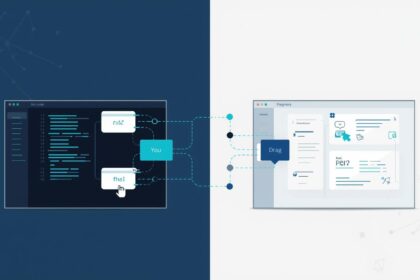


Businesses waste precious hours every week on repetitive digital tasks that sap productivity and potential. Countless form submissions demand replies. Data is manually shuttled between platforms, leading to bottlenecks. Website updates remain stalled, all because human intervention stands in the way of progress.
- Understanding Web Technology Automation
- Common Applications in Business Operations
- How Businesses Implement Automation Systems
- The Technical Framework Behind Automation
- Measuring Return on Investment
- Limitations and Implementation Risks
- Security Considerations for Automated Systems
- When to Choose Manual Processes Over Automation
- Building an Automation Strategy
- Integration With Existing Technology Stacks
- The Role of Testing and Quality Assurance
- Common Implementation Mistakes
- Future Considerations for Automation Technology
- Frequently Asked Questions
- Key Takeaways
Web technology automation directly addresses these challenges by seamlessly connecting digital systems to take over repetitive tasks. It slashes operational overhead, drastically reduces errors, and liberates teams to focus on work that drives real results. This article empowers you to understand what web technology automation is, how it transforms workflows, and why forward-thinking businesses must embrace it.
Understanding Web Technology Automation
Web technology automation refers to the use of software systems to execute web-based tasks without direct human involvement. These systems follow predefined rules—specific instructions set in advance—to move data, trigger actions, and complete workflows (series of related tasks) across websites, applications, and platforms.
The technology operates through three core components. First, triggers detect specific events, such as form submissions or new database entries. Second, logic layers apply conditional rules to determine which actions should occur. Third, execution modules carry out the designated tasks across connected systems.
Unlike simple scheduling tools, web technology automation responds dynamically to real-time events. When a customer completes a purchase, the system can update inventory, send confirmation emails, generate invoices, and notify fulfillment teams simultaneously.
Common Applications in Business Operations
Most businesses already use web technology automation without recognizing it. Email marketing platforms automatically segment audiences and schedule campaigns based on user behavior. Customer relationship management systems log interactions and assign follow-up tasks to sales representatives.
E-commerce platforms demonstrate practical implementation. When a customer places an order, automated systems process payments, update stock levels, send shipping notifications, and record transactions in accounting software. Each step occurs without manual data entry.
Content management systems use automation to schedule publication, optimize images, and distribute content across channels. Support systems route incoming inquiries to appropriate team members based on keywords, urgency, or customer history.
How Businesses Implement Automation Systems
Implementation begins with process mapping. Teams identify repetitive tasks that follow consistent rules and consume significant time. Common candidates include data entry, report generation, customer communications, and routine approvals.
The next phase involves selecting integration methods. Application programming interfaces allow different software systems to exchange data securely. Modern platforms often include built-in automation features that can be configured with minimal technical knowledge.
Testing occurs in controlled environments before full deployment. Teams validate that automated processes handle edge cases correctly and maintain data accuracy. Monitoring systems track performance and flag errors for human review.
Successful implementation requires clear documentation. Teams need written protocols that explain what each automation does, which systems it connects to, and who is responsible for oversight.
The Technical Framework Behind Automation
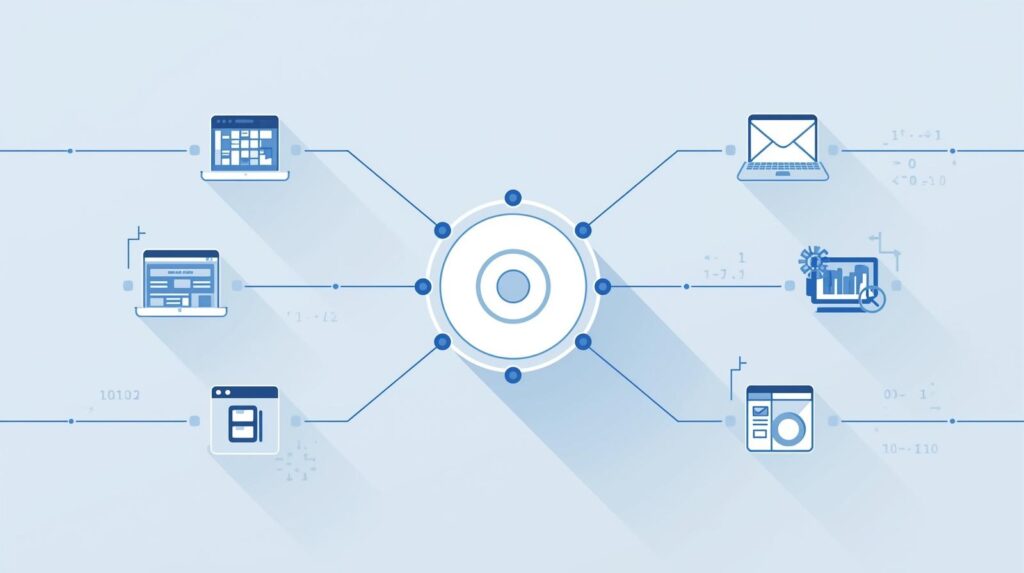
Web technology automation operates on an event-driven architecture. Systems monitor designated endpoints for specific conditions. When conditions are met, the platform executes predefined sequences of actions.
Data flows through standardized formats. Systems convert information into compatible structures as it moves between platforms. This transformation ensures that customer names, order numbers, and other details maintain consistency across different databases.
Authentication protocols are methods that secure these connections. Each integration requires proper credentials (such as usernames and passwords) and permissions (authorizations to access certain data) to access external systems. Encryption—encoding information so only authorized users can read it—protects sensitive information during transmission.
Error handling mechanisms manage failures gracefully. When a connected service becomes unavailable, automation systems can retry operations, send alerts, or route tasks to manual queues rather than losing data entirely.
Measuring Return on Investment
Time savings provide the most immediate benefit. Calculate hours spent on manual tasks weekly, then multiply by hourly labor costs. Automation that eliminates ten hours of data entry per week saves approximately 520 hours annually.
Error reduction delivers less visible but equally significant value. Manual data entry typically produces error rates between one and five percent. Automation reduces this to near zero for routine transfers, preventing costly mistakes in billing, inventory, or customer communications.
Scalability represents long-term value. Manual processes require proportional increases in staff as volume grows. Automated systems handle increased load with minimal additional cost, allowing businesses to grow revenue without equivalent rises in operational expenses.
Customer experience improvements are not just perks—they’re powerful drivers of loyalty and growth. Faster response times, consistent communications, and reliable service delight customers and keep them coming back.
Limitations and Implementation Risks
Web technology automation cannot replicate human judgment in complex situations. Systems excel at following rules but struggle with nuanced decisions requiring context, empathy, or creative problem-solving.
Initial setup demands time and expertise. Mapping processes, configuring integrations, and testing workflows require upfront investment. Small businesses may need 3 to 6 months to see positive returns from automation projects.
Platform dependencies create vulnerability. When connected services change their interfaces or features, automated workflows can break. Businesses need maintenance budgets to address these updates promptly.
Over-automation reduces flexibility. Highly automated processes can become rigid, making it difficult to accommodate exceptions or adjust to changing business needs. Finding the right balance between automation and human oversight requires ongoing evaluation.
Security Considerations for Automated Systems
Automated connections multiply potential security vulnerabilities. Each integration represents an additional access point that requires protection. Compromised credentials in one system can expose data across all connected platforms.
Regular security audits verify that automated processes maintain appropriate access controls. Review which systems can read or modify sensitive data and ensure permissions align with business requirements.
Data retention policies become critical when automation creates copies across multiple systems. Clear protocols should govern how long information remains in each platform and when automated deletion occurs.
Logging and monitoring help detect unusual activity. Automation platforms should record every action for audit purposes, enabling teams to identify unauthorized access or unexpected behavior.
When to Choose Manual Processes Over Automation
Tasks that require subjective judgment remain better suited to human execution. Complex customer complaints, strategic planning, and creative work benefit from human insight that automation cannot replicate.
Infrequent processes may not justify the investment in automation. If a task occurs monthly and requires only fifteen minutes, the development and maintenance costs likely exceed the time saved.
Highly variable workflows resist standardization. When each instance of a process requires different steps or involves unpredictable inputs, automation becomes difficult to implement effectively.
Sensitive decisions with significant consequences should retain human oversight. Financial approvals, legal reviews, and personnel matters warrant direct human involvement regardless of potential efficiency gains.
Building an Automation Strategy
Start with high-volume, rule-based processes that consume significant time. Document current workflows in detail, identifying every step from trigger to completion.
Prioritize automations based on combined impact and feasibility. Quick wins build momentum and demonstrate value to stakeholders who may question initial investments.
Establish governance frameworks before widespread implementation. Designate owners for each automated process, define change management procedures, and create escalation paths for errors.
Plan for continuous improvement. Automation strategies should evolve as business needs change, new technologies emerge, and teams identify additional opportunities for optimization.
Integration With Existing Technology Stacks
Most businesses operate multiple disconnected systems for different functions. Marketing uses one platform, sales another, and operations a third. Web technology automation bridges the gap between these isolated tools.
Effective integration requires understanding data models across systems. Map how each platform structures information about customers, products, or transactions. Identify common fields that enable matching records across databases.
Middleware platforms are intermediary services that simplify complex integrations. These services provide pre-built connectors (software bridges) to popular business applications, reducing the technical expertise required for implementation.
Legacy systems present unique challenges. Older platforms may lack modern integration capabilities, requiring custom development or data export workflows to participate in automated processes.

The Role of Testing and Quality Assurance
Thorough testing prevents automation from amplifying errors. Before deployment, run automated processes against sample data that includes typical scenarios, edge cases, and deliberately flawed inputs.
Parallel processing is a method in which automated and manual processes run simultaneously, allowing results to be compared and discrepancies to be identified before fully transitioning to automation.
Ongoing monitoring detects drift over time. Systems that work correctly at launch may develop issues as connected platforms update or data patterns change. Automated alerts notify teams when processes complete outside expected parameters.
User acceptance testing involves team members who previously performed tasks manually. Their practical knowledge reveals overlooked scenarios and verifies that automation actually reduces their workload rather than creating new complications.
Common Implementation Mistakes
Organizations frequently automate broken processes. If a manual workflow is inefficient or poorly designed, automation simply executes the flawed process faster. Optimize workflows before implementing automation.
Insufficient documentation creates maintenance challenges. Future team members need clear explanations of what each automation does, why specific design decisions were made, and how to troubleshoot common issues.
Neglecting error handling leads to silent failures. Automation that encounters problems should alert responsible parties rather than simply stopping. Proper error management ensures issues receive prompt attention.
Resistance to change undermines adoption. Team members accustomed to manual processes may initially distrust automation. Clear communication about benefits, thorough training, and gradual rollout helps overcome skepticism.
Future Considerations for Automation Technology
Web technology automation continues evolving toward greater intelligence and adaptability. Modern systems increasingly learn from patterns rather than requiring explicit programming for every scenario.
Low-code and no-code platforms democratize automation. Non-technical team members can now build basic automated workflows using visual interfaces, reducing dependence on specialized developers.
Integration ecosystems expand continuously. As more platforms adopt standard protocols and provide robust connection options, businesses can automate across increasingly diverse technology stacks.
Privacy regulations influence automation design. Automated systems must comply with data protection requirements, obtain valid consent, and implement retention limits, even when operating without human supervision.
Frequently Asked Questions
What types of businesses benefit most from web technology automation?
Businesses with high-volume repetitive tasks see the clearest benefits. E-commerce, professional services, and companies managing large customer bases typically achieve strong returns. However, even small operations benefit when automation addresses specific pain points, such as appointment scheduling or invoice processing.
How much technical expertise is required to implement automation?
Basic automation requires minimal technical skills when using modern platforms with visual interfaces. Complex integrations involving custom logic or legacy systems need developer expertise. Most businesses start with simple automations and gradually tackle more sophisticated implementations as teams gain experience.
What is the typical timeline for seeing positive results from automation?
Simple automations often deliver immediate time savings once implemented. Comprehensive automation strategies typically require three to six months before returns exceed the initial investment. Long-term benefits accumulate as teams identify additional opportunities and refine existing automated processes.
Can automated systems handle exceptions and unusual cases?
Automation excels at routine scenarios but struggles with unusual cases requiring judgment. Well-designed systems identify exceptions and route them to human reviewers rather than attempting to process them incorrectly. The goal is to handle the majority of standard cases automatically while preserving human oversight for complexity.
How do businesses maintain automated systems as technology changes?
Regular reviews ensure automations remain functional as connected platforms evolve. Establish quarterly assessments of all automated workflows to identify errors, performance issues, and opportunities for improvement. Budget for ongoing maintenance similar to other business systems rather than treating automation as a one-time implementation.
Key Takeaways
Web technology automation transforms repetitive digital tasks into reliable, consistent processes that operate without constant human attention. Successful implementation requires careful process selection, thorough testing, and ongoing maintenance rather than a one-time setup.
The technology delivers measurable value through time savings, error reduction, and operational scalability. However, it complements rather than replaces human judgment, particularly for complex or sensitive decisions.
Businesses should approach automation strategically, starting with high-impact processes and gradually building expertise. The investment yields compounding returns as teams identify additional opportunities and refine their approach over time.