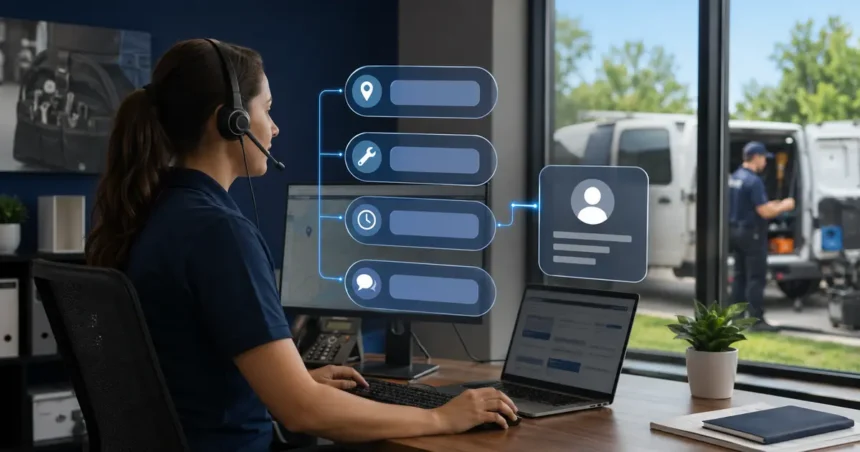
A contractor chatbot should ask every new lead only the questions required to determine service fit, urgency and the next action. The wording and order can change by trade, but the core information is stable: what the customer needs, where the property is, how to reach them, when they need help and what outcome they want.
- Quick answer
- Question 1: “What would you like help with?”
- Question 2: “Where is the service needed?”
- Question 3: “What are you noticing?”
- Question 4: “Is there an immediate safety concern?”
- Question 5: “Is this a new request or an existing job?”
- Question 6: “When would you like service?”
- Question 7: “What is the best way to reach you?”
- Question 8: “What would you like to happen next?”
- Trade-specific questions that can improve routing
- Questions to avoid or postpone
- “What is your budget?” before establishing fit
- Every field in the CRM
- Sensitive personal information
- Leading technical questions
- Use conditional logic rather than one long script
- Confirm before submission
- Map each answer to a business field
- Test the questions with real people
- Adapt questions to the page and traffic source
- Frequently asked questions
- Should the chatbot ask for contact details first?
- How many questions are too many?
- Should the chatbot ask for photos?
- Can it ask about property ownership?
- What if the lead skips a question?
- Should all trades use the same script?
- Related Oivic guides
- Authoritative resources
- Make each question earn the visitor’s effort
Quick answer
Ask for the service need, service address or ZIP code, customer-reported symptoms, approved urgency indicators, name, preferred contact method and requested next step. Add trade-specific questions only when they change routing, appointment type or preparation. Confirm critical details, explain what happens next, and never use intake questions to make an unverified diagnosis.
Question 1: “What would you like help with?”
Begin with the visitor’s goal in their own words. A short open question captures language that a rigid menu may miss. Offer service buttons as optional shortcuts, not the only path.
The answer should identify a general service category, not a technical diagnosis. Store “customer reports no cooling” rather than converting it to a failed component.
Question 2: “Where is the service needed?”
Use a ZIP code for a quick check or a full address when dispatch rules require it. Validate the format and provide a review path for border locations or new addresses that mapping tools do not recognize.
City alone is often insufficient. Municipal names, postal zones and actual travel boundaries may differ. Avoid rejecting a lead until the same logic trusted by the office has evaluated it.
Question 3: “What are you noticing?”
Ask for symptoms, timing and relevant changes. Useful follow-ups vary by trade: where water is visible, which electrical fixture is affected, whether heating is completely unavailable, or whether the request concerns repair or installation.
Keep the prompt neutral. Do not suggest a cause or lead the customer to agree with one. The purpose is to help routing and preparation.
Question 4: “Is there an immediate safety concern?”
The exact wording and examples must be reviewed for the company’s services and jurisdictions. The bot may need to detect gas odor, smoke, sparking, carbon-monoxide alarms, flooding near electricity or trapped persons.
Do not require the visitor to label the situation an emergency. Monitor indirect descriptions throughout the conversation. When a trigger appears, show approved safety guidance and escalation without continuing ordinary qualification first.
Question 5: “Is this a new request or an existing job?”
This separates sales and dispatch intake from warranty, arrival, invoice and complaint workflows. Existing customers should not be forced through new-lead questions when the company already has the relevant record.
If the visitor is unsure, ask for contact details and route for review. Avoid exposing account information without appropriate identity verification.
Question 6: “When would you like service?”
Ask for urgency and preference without promising availability. If the chatbot can access a properly constrained calendar, offer supported appointment options. Otherwise collect preferred windows and state that the office will confirm.
Distinguish “today would be helpful” from an approved safety priority. Commercial value and hazard response should use separate rules.
Question 7: “What is the best way to reach you?”
Collect a name and at least one verified contact method. Let the visitor choose phone, text or email where the business supports them. For SMS follow-up, obtain and record appropriate consent rather than assuming a typed number authorizes every kind of message.
Read back or validate phone numbers and email addresses. A complete-looking lead with a wrong contact field is unusable.
Question 8: “What would you like to happen next?”
Offer clear outcomes: request an appointment, schedule an estimate, receive a callback, speak to someone now or ask a factual question. This prevents the system from choosing a commitment the visitor did not request.
If only one action is available after hours, state the response window honestly.
Trade-specific questions that can improve routing
Add a question only when the answer changes what the company does. Examples include:
- HVAC: heating or cooling, number of systems, equipment location and complete loss versus reduced performance.
- Plumbing: fixture or area affected, active water, shutoff status when safely known, and drain versus supply concern.
- Electrical: affected area, loss of power, visible smoke or sparking, and whether the utility has reported an outage.
- Roofing: active leak, storm timing, property type, roof access and repair versus replacement interest.
- Floor coatings: residential or commercial, approximate area, surface condition, location and desired project timing.
- Cleaning: property type, approximate size, recurring or one-time service, pets and access needs.
These are intake examples, not diagnostic instructions. Qualified staff should approve the final questions.
Questions to avoid or postpone
“What is your budget?” before establishing fit
Budget may matter for projects, but asking immediately can feel dismissive and may not improve routing. Explain why it is needed and use ranges only when the sales process supports them.
Every field in the CRM
Marketing source, secondary phone, property ownership and equipment details may be useful later. Do not sacrifice completion for data that does not affect the first response.
Sensitive personal information
Do not collect payment card numbers, government identifiers, passwords or unrelated health information in general chat.
Leading technical questions
A visitor may agree with the bot’s proposed cause. Ask what they observed, not whether a particular component failed.
Use conditional logic rather than one long script
A routine maintenance visitor does not need emergency repair questions. An existing customer asking about arrival does not need project qualification. Branch based on the reason for contact and stop asking once the next action is clear.
Show progress carefully. A rigid “12 questions remaining” display may discourage visitors, while no indication can make the chat feel endless. Keep the core path short.
Confirm before submission
Present a concise review: service need, address, contact, requested timing and next step. Let the visitor edit a field. State whether an appointment is confirmed or awaiting review.
After submission, provide the expected response period and a reference if available. Show phone or emergency options for changes that should not wait.
Map each answer to a business field
| Chat answer | Destination | Validation |
|---|---|---|
| Service need | Request type and original note | Supported category or review |
| Address | Property record | Format, territory and duplicate check |
| Symptoms | Customer-reported job note | No added diagnosis |
| Urgency signal | Visible alert and escalation task | Reviewed trigger and acknowledgment |
| Contact preference | Customer and consent record | Phone or email verification |
| Next step | Appointment, request or task | Successful action confirmation |
Test the questions with real people
Ask employees, customers or invited testers to use natural wording, misspell details, change their mind and refuse optional questions. Include mobile devices, screen readers and keyboard navigation where relevant.
Measure completion, time, repetitions, corrections and whether the resulting record supports the next employee. Remove questions that do not influence action.
Adapt questions to the page and traffic source
A visitor arriving on an emergency drain page has already provided intent through the page context. The chatbot can acknowledge that context and ask about location and active conditions rather than restarting with a generic service menu. A visitor on the homepage may need broader identification.
Preserve the landing page, campaign and referring source in the lead record without asking the customer to name the advertisement. Use that context to reduce questions, not to make assumptions about budget or urgency.
Review paid-search chats separately from organic guides and existing-customer pages. If one audience abandons at a specific question, revise that path instead of lengthening every conversation.
Page context should never silently override what the visitor says. Someone landing on a roof-repair page may ask about gutters or an existing invoice. Keep the conversation responsive to the stated request.
Frequently asked questions
Should the chatbot ask for contact details first?
Usually no. Establish basic service and location fit before creating a contact gate, unless an urgent safety workflow requires immediate callback information.
How many questions are too many?
There is no fixed number, but every question should change routing, preparation or the next action. Review abandonment and remove low-value fields.
Should the chatbot ask for photos?
Photos can help human review when the business has a secure workflow and clear expectations. Do not let the bot claim that a photo confirms hidden conditions or final scope.
Can it ask about property ownership?
Yes when authorization changes the process, but explain the reason and provide a path for tenants, property managers and other authorized contacts.
What if the lead skips a question?
Allow optional fields to remain blank. For essential information, explain why it is needed or offer a human callback.
Should all trades use the same script?
No. Keep a shared core, then add questions that reflect the service, safety and scheduling decisions of each trade.
Related Oivic guides
- Build a Lead-Qualifying Chatbot
- AI Lead Qualification Workflow
- AI Chatbot vs. Live Chat
- Prevent Chatbot Misinformation
Authoritative resources
- NIST Generative AI Profile
- FTC guidance on AI privacy and confidentiality
- CISA artificial intelligence guidance
Make each question earn the visitor’s effort
Oivic helps contractors create lead workflows that collect useful information without turning the website into a long application. Start with the decision your office must make next.