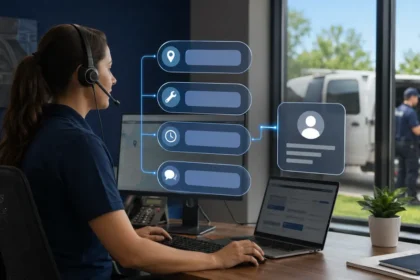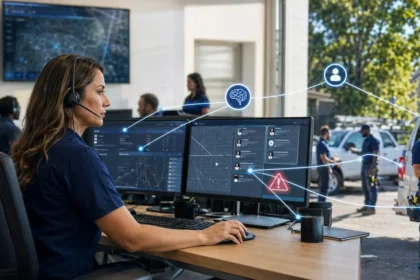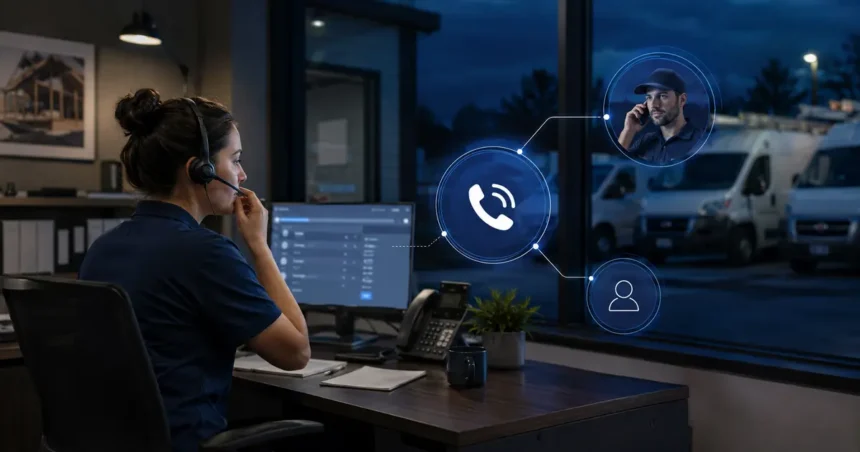
How AI Call Answering Helps Contractors Capture After-Hours Leads is straightforward: it replaces an unanswered ring or generic voicemail with an immediate, structured next step. The system may capture details, identify urgency, offer an approved appointment or create a priority callback.
- Quick answer
- Why after-hours response matters
- Five useful after-hours outcomes
- Design the call flow from the next action backward
- Build a separate emergency path
- Choose between booking and provisional requests
- What information should be collected
- Connect the call to the morning workflow
- Test the difficult calls
- Metrics that show whether leads were captured
- Common after-hours mistakes
- Three industry examples
- Create a next-morning recovery routine
- Compare AI with the current alternative
- Privacy and communications requirements
- A four-week pilot
- Prepare the on-call employee
- Frequently asked questions
- Should AI answer every after-hours call?
- Can it replace an on-call employee?
- Should it quote prices?
- What is the best first use?
- Related Oivic guides
- Authoritative resources
- Turn every answer into an action
The opportunity is real, but an answered call is not automatically a captured lead. The caller must understand what happens next, and the information must reach a person or system that can act.
Quick answer
Use AI after hours to answer immediately, collect contact and service information, screen for approved urgency signals, book only controlled appointment types and trigger a clear follow-up. Measure contacted leads, accurate bookings and completed-job gross profit—not calls answered alone.
Why after-hours response matters
Home service customers often call when they notice the problem: before work, after dinner, during a weekend or in the middle of severe weather. They may contact several companies. A fast response can reduce uncertainty and keep the caller from starting over elsewhere.
Voicemail creates work for both sides. The caller leaves incomplete information, and the office begins the next day with a list of messages to interpret. AI call answering can collect a more consistent record and explain the expected callback window.
Five useful after-hours outcomes
- Capture: record contact information, location and reason for calling.
- Qualify: confirm that the service and territory fit.
- Route: separate routine, urgent and unsupported requests.
- Schedule: offer approved appointment types or create a provisional request.
- Escalate: transfer approved emergency categories to an on-call person.
The system does not need to complete all five. A reliable capture-and-callback process may be better than inaccurate autonomous booking.
Design the call flow from the next action backward
Start with what the business can actually do after hours. If no technician is on call, the system should not imply immediate service. If only certain ZIP codes receive emergency response, the territory rule must be explicit.
A practical routine request flow:
- Give a brief greeting and appropriate disclosure.
- Ask the caller’s name and callback number.
- Confirm service location.
- Identify the requested service and reported symptom.
- Check service-area and availability rules.
- Offer an approved slot or state the callback window.
- Repeat the next step and create the record.
Build a separate emergency path
Do not let a general conversation wander through routine qualification when a caller mentions fire, gas, electrical danger, active flooding or another serious condition. Use approved language and immediate escalation.
The AI should not diagnose safety. The company should decide which words or situations trigger transfer, what happens when the on-call employee does not answer and which public emergency resources the script may mention. Obtain legal and insurance guidance.
Choose between booking and provisional requests
Automatic booking works best for appointment types with predictable duration, broad technician eligibility and clear service-area rules. Examples may include routine inspections or maintenance visits.
Use a provisional request when the job requires equipment, special certification, diagnosis, a sales visit or uncertain duration. The system can collect preferred times and tell the caller that the office will confirm.
What information should be collected
- Name and reliable callback method
- Service address or ZIP code
- Requested service
- Customer’s description of the issue
- Urgency signals relevant to approved routing
- Property or equipment context needed for the next step
- Preferred appointment or callback window
Avoid collecting information that does not change routing or follow-up. Excess data makes the call longer and increases privacy exposure.
Connect the call to the morning workflow
An after-hours system fails when its messages sit in a separate dashboard. Create a clear destination: CRM request, field-service task, priority inbox or on-call notification.
The record should show the source, time, caller statements, action taken, booking status and open questions. Assign ownership. The morning team should know which leads need confirmation first.
Test the difficult calls
Run scenarios with:
- Background noise and interrupted answers
- A caller who changes the requested day
- An unsupported service
- An address outside the territory
- An upset customer demanding a person
- A potential emergency
- A price question with no approved fixed answer
- An existing customer changing an appointment
Confirm both the conversation and the record created afterward.
Metrics that show whether leads were captured
| Metric | What it reveals |
|---|---|
| Qualified calls answered | Relevant opportunity volume |
| Complete contact records | Whether follow-up is possible |
| Contacted next day | Whether the office completes the handoff |
| Accurate confirmed bookings | Calendar quality |
| Completed jobs and gross profit | Business outcome |
| Corrections and complaints | Quality cost |
Common after-hours mistakes
- A long greeting that delays the caller
- Claiming 24/7 service when only answering is available
- Booking every open slot without checking job constraints
- No fallback when a transfer is unanswered
- Failing to stop follow-up after the caller declines
- Measuring calls rather than completed profitable work
Three industry examples
HVAC during extreme weather
Call volume can spike while the schedule is already full. The system should not promise same-day service merely because it answered immediately. It can capture equipment type, reported symptom and household context, identify approved safety language and create a ranked callback queue. Capacity and service-area information may need temporary updates several times per day.
Water damage restoration
Speed matters, but the caller’s description is not a professional assessment. The system can collect the source and extent described by the customer, whether water is still entering, access information and a safe callback number. Approved urgent transfers should bypass routine booking questions.
Garage door repair
The caller may describe a trapped vehicle, damaged spring or door that will not close. AI can capture the situation and location, but it should avoid instructing the caller to handle dangerous components. A provisional service window may be better than a confirmed appointment when job duration is uncertain.
Create a next-morning recovery routine
At opening time, an office employee should review unsuccessful calls, abandoned conversations, failed transfers and provisional bookings before routine messages. The system should make these exceptions easy to find.
Use a short checklist: verify contact details, listen to flagged moments, confirm any appointment, correct the customer record and contact high-intent callers. Track how many after-hours leads become unreachable by morning. If that number is high, the business may need a faster on-call callback rather than better conversation technology.
Compare AI with the current alternative
The correct baseline may be voicemail, owner call forwarding, a human answering service or an existing missed-call text. Compare qualified opportunities recovered, staff interruptions, customer effort and full cost against that actual alternative.
A new system can look valuable when compared with doing nothing, while the existing process already recovers most good leads. Incremental measurement avoids paying twice for the same outcome.
Privacy and communications requirements
Review recording, disclosure, consent and data-retention requirements for every location served. The FCC has confirmed that AI-generated voices are treated as artificial voices under TCPA restrictions. Outbound follow-up calls and texts require particular care.
Use approved business accounts, restrict access and retain only necessary conversation data. Seek qualified legal guidance rather than relying on a vendor’s general compliance statement.
A four-week pilot
Week 1: map calls, write rules and test internally. Week 2: handle limited overflow calls and review every record. Week 3: add after-hours volume and confirm every booking. Week 4: compare with voicemail recovery, total cost, errors and gross profit.
Prepare the on-call employee
The person receiving transfers needs more than a ringing phone. Send a concise screen or text with caller name, location, issue, urgency signal and what the AI already said. Establish which calls require immediate acceptance and which can become a scheduled callback.
Test the experience from the employee’s side. Confirm that caller ID, notifications and CRM records arrive quickly. An after-hours workflow should reduce chaos for the on-call person, not add an unfamiliar dashboard during an urgent situation.
Review compensation, availability and escalation expectations with management and appropriate advisers. Technology does not solve unclear on-call responsibility.
Create a backup contact and a final fallback to voicemail or an answering queue. Test the sequence outside normal hours using the same phones employees carry. Record the time from caller request to successful human connection.
Review failed connections with the provider every week during the pilot.
Correct recurring causes, not only individual call records.
Frequently asked questions
Should AI answer every after-hours call?
It can answer broadly, but call outcomes should vary. Routine intake, emergency transfer, unsupported requests and existing-customer issues need different paths.
Can it replace an on-call employee?
It can reduce interruptions and filter calls. Qualified people remain necessary for emergencies, unusual decisions and field response.
Should it quote prices?
Only approved fixed information should be shared. Variable work should receive a clear explanation of the estimating process, not an invented price.
What is the best first use?
Capturing complete messages and creating a priority callback is safer than broad autonomous booking. Expand after accuracy is proven.
Related Oivic guides
Authoritative resources
Turn every answer into an action
Define the morning handoff, then use Oivic’s buyer’s guide to test providers.