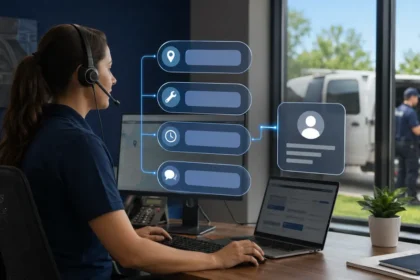
AI receptionists usually lose a lead for an ordinary operational reason, not because the voice sounds artificial. The system may ask too many questions, misunderstand the service, reject a valid location, offer the wrong appointment, fail to transfer, or create a record nobody follows. Preventing those losses requires treating the receptionist as part of the company’s lead workflow—not as a phone feature that runs by itself.
- Quick answer
- First, define what “lost” means
- Failure 1: the greeting delays the customer
- Failure 2: intake feels like a form read over the phone
- Failure 3: the agent classifies customer language incorrectly
- Failure 4: service-area rules are too crude
- Failure 5: price language creates the wrong expectation
- Failure 6: an open slot is treated as a valid appointment
- Failure 7: the transfer rule exists, but the transfer does not
- Failure 8: safety-sensitive language is handled as sales qualification
- Failure 9: the call ends without an explicit next step
- Failure 10: the lead record has no accountable owner
- Failure 11: spam controls reject unusual real callers
- Failure 12: no one studies abandonment
- A weekly lead-loss review
- Use a balanced scorecard
- A 14-day prevention plan
- Frequently asked questions
- What is the biggest reason an AI receptionist loses leads?
- Should the receptionist always try to book?
- How quickly should messages receive a response?
- Can better prompts solve most problems?
- How many calls should be reviewed?
- When should the AI receptionist be turned off?
- Related Oivic guides
- Authoritative resources
- Find the loss between “answered” and “completed”
Quick answer
AI receptionists lose leads when business rules are incomplete, intake is burdensome, booking data is unreliable, human escalation fails, or nobody owns the resulting record. Reduce losses by narrowing the agent’s role, defining valid call outcomes, testing real customer language, auditing abandoned and corrected calls, and assigning every request a person, deadline and backup path.
First, define what “lost” means
A missed call is visible. A mishandled call is harder to detect. The AI may answer and still lose the opportunity. If the caller receives a confident but wrong answer, abandons a long intake, gets booked for an unsuitable slot or waits for a promised callback that never comes, the dashboard may count activity while the business loses trust.
Use a broader definition: a lead is lost when a viable customer does not reach the correct next step because of avoidable friction or an internal failure. That next step could be a confirmed appointment, a scheduled estimate, a human conversation or a clearly assigned request.
Track dispositions that reveal hidden losses: abandoned during intake, asked for a human, transferred successfully, transfer failed, message created, message contacted, booking corrected, unsupported service, outside area and no final action. Without these outcomes, “calls answered” is a vanity metric.
Failure 1: the greeting delays the customer
Long brand introductions, promotional messages and explanations of everything the agent can do make an urgent caller wait. A good opening identifies the company, provides required disclosure, and asks how it can help. The rest should be earned by the conversation.
Test the greeting aloud. If it takes more than a few seconds to reach the first useful question, shorten it. Do not ask the caller to listen to a list of services. Let natural language identify the reason for the call, then confirm it.
Failure 2: intake feels like a form read over the phone
The receptionist asks for every field the CRM can store instead of the few details needed for routing. It may request an email, property ownership status, marketing source and equipment age before acknowledging an active leak. Each unnecessary question creates another exit point.
Design different minimum datasets for different intents. A new repair request may need name, callback number, service address, symptom and scheduling preference. A caller checking technician arrival may need identity verification and the existing appointment. A complaint may need the job reference and a rapid human handoff.
Collect optional details after the next step is secure, or leave them for staff. Confirm phone numbers and addresses because errors there can make follow-up impossible. Do not repeatedly ask for data already retrieved and verified.
Failure 3: the agent classifies customer language incorrectly
Customers describe outcomes, sounds and frustrations—not catalog items. “The air is running but the house is hot” may not match a service named “AC diagnostic.” “Water beside the tank” may be described as a plumbing emergency, water-heater repair or leak.
Build examples from actual calls and search terms. Include common local phrases, brand names, partial descriptions and corrections. The agent should clarify when two services are plausible, but it should not diagnose the cause.
Review the phrases associated with unsupported-service decisions. A company may discover that valid leads are being rejected because its catalog uses internal terminology customers never say.
Failure 4: service-area rules are too crude
A list of cities can fail when names overlap, postal boundaries do not match the dispatch territory, or a rural ZIP spans a large area. Conversely, an agent may accept work beyond the profitable travel limit because a nearby city name appears approved.
Use the same geographic logic the dispatch team trusts. Confirm the full service address, not only the ZIP code, when boundaries matter. Define what happens near an edge: provisional request, office review or polite rejection with no invented referral.
Audit “outside area” calls monthly. False rejections are lost leads; false acceptances create cancellations and customer frustration.
Failure 5: price language creates the wrong expectation
An AI receptionist may confuse a diagnostic fee, starting price and final job price. It may also repeat an old promotion or omit conditions. The result is not merely an inaccurate answer; it becomes a dispute when the technician arrives.
Restrict the agent to approved fixed information. Write the exact distinction between a fee and the cost of repair. Variable work should be described as requiring inspection or a qualified estimate. Avoid ranges unless the company has evidence, approved conditions and a consistent way to explain what changes the price.
Review all price-related transcripts during the pilot. A single polished misstatement can harm more trust than several calls sent to a human.
Failure 6: an open slot is treated as a valid appointment
Calendars do not always show skill, equipment, parts, travel, permit requirements or the likely duration of unusual work. The agent sees availability and books it, but the office later moves or cancels the visit.
Enable only standardized appointment types at first. Use specific service names, durations, technician eligibility and territory rules. Housecall Pro’s CSR AI documentation advises businesses to avoid generic price-book line items and to name both the action and the appliance or trade where needed. Clear data helps the system map a request to the right bookable item.
For complex estimates, commercial work, repeat failures or uncertain scope, create a request for review rather than a confirmed appointment. Tell the caller which outcome occurred. Never use “booked” and “requested” interchangeably.
Failure 7: the transfer rule exists, but the transfer does not
Many configurations contain keywords for urgency or a request for a person. That is only half the workflow. If the destination is unstaffed, the phone rings indefinitely or the caller must repeat everything, the lead remains at risk.
Test transfer destinations during every coverage period. Set a time limit and a fallback: second number, on-call person, priority task or verified callback commitment. Pass the transcript or a short context summary when the system supports it.
Honor direct requests for a human. One clarification may be reasonable, but repeatedly blocking the request turns automation into a barrier.
Failure 8: safety-sensitive language is handled as sales qualification
A caller mentioning gas odor, smoke, sparking equipment, carbon-monoxide alarms, flooding near electricity or a trapped person should not be led through ordinary booking questions. The receptionist needs a short, approved safety branch and an escalation path.
The agent must not determine whether the situation is safe. Use instructions reviewed for the company’s trades and jurisdictions, including when callers should leave the area or contact emergency services. Then alert the appropriate human according to the company’s plan.
Test indirect wording. Customers may say “it smells funny,” “the panel is buzzing” or “the basement floor is covered” rather than use an emergency keyword.
Failure 9: the call ends without an explicit next step
A pleasant closing can hide ambiguity. The caller may not know whether an appointment is confirmed, someone will call, or the information was merely recorded.
Every call should end with a concise confirmation: what the company received, what action occurred, the appointment or response window if approved, and what the caller should do if circumstances change. The system should read back critical details.
Avoid promises such as “someone will call shortly” unless the workflow creates a time-bound task and staff can meet it. A realistic commitment builds more trust than an optimistic one.
Failure 10: the lead record has no accountable owner
The AI creates a transcript and summary, but the office assumes automation finished the job. Messages sit in a dashboard, duplicate records split the history, or notifications go to an employee who is off.
Map each disposition to a queue, owner, response target and backup. A new estimate request may go to sales with a 15-minute target during business hours. A warranty callback may go to the service manager. An after-hours routine request may enter the morning queue. High-risk transfers should create an alert even when the transfer appears successful.
Reconcile phone outcomes with the CRM. Sample calls and confirm that the customer, request, appointment, notes and assigned person are present.
Failure 11: spam controls reject unusual real callers
Blocking obvious robocalls is useful, but aggressive screening may affect customers with blocked caller ID, VoIP numbers, heavy background noise or short initial responses. Contractors serving property managers or tenants may also receive calls from numbers unrelated to the service address.
Review calls classified as spam or non-leads. Do not optimize solely for fewer office interruptions. Measure false positives and give uncertain callers a simple way to state their purpose.
Failure 12: no one studies abandonment
Abandoned calls are the closest thing to a customer pointing at friction. Note where the caller left, the question being asked, call duration and whether they tried again. Patterns matter more than one isolated hang-up.
If abandonment rises during address capture, improve confirmation. If callers leave after transfer, fix the destination. If long calls cluster around service identification, simplify the catalog and examples. Do not respond by making the voice more enthusiastic.
A weekly lead-loss review
Use a 30-minute review with the office owner, dispatcher or customer-service lead. Select all failed transfers, all corrected bookings, all complaints, all safety triggers and a sample of abandoned and successful calls.
| Question | Evidence to inspect | Possible fix |
|---|---|---|
| Did the caller fit the business? | Request, address and service description | Repair classification or territory rules |
| Was the next step correct? | Transcript, action log and CRM result | Change booking permission or routing |
| Was the promise kept? | Task owner, response time and final outcome | Add deadlines and backup ownership |
| Did the customer struggle? | Repetition, interruptions and abandonment point | Shorten intake or offer transfer earlier |
| Could it happen again? | Knowledge source, catalog and integration state | Correct the system layer, then retest |
Record each issue as knowledge, conversation design, business rule, integration, staffing or provider behavior. This prevents teams from editing prompts to solve scheduling or ownership problems.
Use a balanced scorecard
Measure qualified calls answered, intake completion, valid booking rate, corrected or canceled AI bookings, successful transfer rate, message response time, abandonment, repeat calls and completed-job gross profit. Separate new leads from existing-customer calls so one group does not mask the other.
Compare with a baseline from the same hours and lead sources. Seasonal demand, advertising campaigns and staffing changes can alter results. The goal is not to prove the AI caused every booked job; it is to determine whether the complete workflow performs better at an acceptable cost and risk.
A 14-day prevention plan
- Days 1–2: define valid outcomes and collect recent calls.
- Days 3–4: simplify the greeting and minimum intake for each intent.
- Days 5–6: clean service names, territory logic and bookable appointment types.
- Days 7–8: test safety branches, human requests, transfers and fallbacks.
- Days 9–10: assign queues, owners, deadlines and backup notifications.
- Days 11–12: run realistic employee tests and correct blocking failures.
- Days 13–14: begin limited live coverage and review every resulting action.
Frequently asked questions
What is the biggest reason an AI receptionist loses leads?
The most damaging pattern is a call that appears completed but has no correct operational outcome. This includes false bookings, failed transfers and unowned messages.
Should the receptionist always try to book?
No. Booking is appropriate only for supported work with reliable rules. A qualified request for human review is the better outcome when scope, skills, duration or availability is uncertain.
How quickly should messages receive a response?
Set targets by urgency, call type and coverage period. The target should be realistic, visible to staff and backed by a second owner when the first is unavailable.
Can better prompts solve most problems?
No. Prompt changes cannot repair stale prices, ambiguous service items, an inaccurate calendar, a disconnected integration or an unanswered transfer line.
How many calls should be reviewed?
Review every high-risk exception and correction during the pilot, plus a representative sample of successful calls. Reduce the sample only after performance is stable.
When should the AI receptionist be turned off?
Pause affected call types after repeated false confirmations, unsafe guidance, privacy exposure, failed escalation or an integration outage that the system cannot handle safely.
Related Oivic guides
- How to Train an AI Phone Agent
- Can an AI Receptionist Book Service Appointments Accurately?
- AI Call Summaries for Contractors
- AI Receptionist vs. Answering Service
Authoritative resources
- Housecall Pro CSR AI best practices and FAQs
- Jobber AI Receptionist documentation
- NIST Generative AI Profile
- FTC guidance on AI privacy and confidentiality
Find the loss between “answered” and “completed”
Oivic helps contractors connect phone, scheduling and customer records into workflows that can be measured. Start by auditing the next 20 AI-handled calls all the way to their final business outcome.