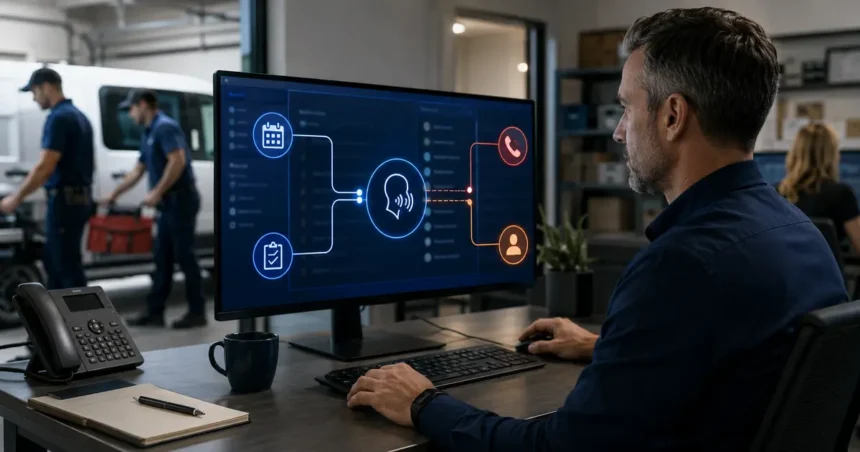
AI Voice Agents for Contractors: Benefits, Risks and Best Uses are software systems that conduct spoken conversations and may retrieve information or take actions. They can provide fast, consistent coverage for defined call types. They can also create customer, legal and operational problems when they sound more capable than they are.
- Quick answer
- Voice agent, receptionist and voicebot: what is the difference?
- Where voice agents create value
- The best contractor use cases
- Use cases that need strong restrictions
- Operational risks
- Customer-experience risks
- Privacy and legal risks
- Design safe permissions
- How to build the knowledge source
- A pre-launch test library
- Roll out in stages
- Measure outcomes, not voice performance alone
- When not to deploy
- Understand the basic system architecture
- Buy a platform or build a custom agent?
- Create an incident playbook
- Frequently asked questions
- How often should the agent be retested?
- What happens when confidence is low?
- Can voice AI support several locations?
- Are AI voice agents the same as robocalls?
- Can a voice agent sound human?
- Can it handle several calls at once?
- Should it have full CRM access?
- Related Oivic guides
- Authoritative resources
- Give the agent a narrow job
Quick answer
Use AI voice agents for narrow, repeatable conversations such as basic intake, appointment confirmation, after-hours message capture and status requests. Keep diagnosis, safety, complaints, final pricing and unusual scheduling human-led. Require clear disclosure, consent controls, human transfer, monitoring and a rollback plan.
Voice agent, receptionist and voicebot: what is the difference?
The market uses overlapping terms. An AI receptionist usually focuses on front-desk calls. A voicebot may follow a narrower question-and-answer flow. A voice agent may combine conversation with actions across calendars, CRMs or other systems.
Ignore the label and document what the product can access and do. A tool that only takes messages has a different risk profile from one that changes appointments, sends texts and updates customer records.
Where voice agents create value
Immediate coverage
Callers can receive a response during busy periods, nights and weekends. This may reduce voicemail and repeated calls.
Consistent intake
A configured flow can ask for contact details, address, service need and preferred next step. Consistency helps only when the questions are relevant and brief.
Concurrent conversations
Software may handle several routine calls during demand spikes. Verify capacity and usage pricing with the provider.
Structured records
Connected systems can create summaries, requests and tasks. This can reduce manual entry, provided field mapping and duplicate handling are accurate.
Routine self-service
Existing customers may check an approved appointment, request rescheduling or leave information without waiting for the office.
The best contractor use cases
- After-hours new-lead capture
- Overflow answering during peak periods
- Basic service-area and hours questions
- Controlled appointment requests
- Appointment confirmation or rescheduling with consent
- Message taking and call summaries
- Routing to an on-call employee
Each use case needs its own success measure and exception path.
Use cases that need strong restrictions
Emergency calls
The agent may recognize approved phrases and transfer. It should not diagnose safety or delay public emergency guidance.
Pricing
It may share a verified diagnostic fee or fixed service price. It should not estimate variable work from an incomplete description.
Complaints and disputes
The agent can capture the issue and arrange contact. A trained person should handle emotion, evidence, refunds and account-specific commitments.
Outbound sales
AI-generated voice calls are subject to communications restrictions. Consent, identification and opt-out requirements require legal review. Do not treat outbound voice as a simple growth hack.
Operational risks
Confident wrong information: outdated service or pricing data becomes a polished answer.
Bad booking: the calendar appears open but the work needs a specific skill, part or duration.
Failed escalation: the system detects urgency but transfers to an unanswered number.
Lost context: callers repeat themselves because the summary does not reach the person taking over.
Silent integration failure: the conversation succeeds but no CRM record or task is created.
Customer-experience risks
Long greetings, repetitive questions and refusal to transfer can frustrate callers. Voice realism is not the same as helpfulness. Customers value a correct next step and an easy path to a person.
Do not design the voice or introduction to impersonate a real employee. Be transparent in a manner appropriate to the use and legal requirements.
Privacy and legal risks
Voice systems may process recordings, transcripts, contact data, service addresses and account information. Review data use, retention, access, deletion and subprocessors. Limit what the agent can retrieve.
The FCC has confirmed that AI-generated voices fall within TCPA restrictions on artificial or prerecorded voices. Recording and consent requirements can vary by state. Obtain qualified legal guidance for inbound recording, outbound calls and texts.
Design safe permissions
| Permission | Safer starting point |
|---|---|
| Customer records | Read only fields needed for the call |
| Calendar | Offer limited appointment types or provisional requests |
| Pricing | Approved fixed information only |
| Messages | Draft or send controlled confirmations |
| Account changes | Human approval for sensitive changes |
Use the least privilege necessary. Expand permissions after evidence, not because the product supports them.
How to build the knowledge source
Prepare concise, approved information:
- Services and exclusions
- Territories and location rules
- Hours and holiday coverage
- Appointment types and durations
- Approved price language
- Emergency and transfer rules
- Warranty and complaint handoff
Name an owner for updates. Test changes before exposing them to callers.
A pre-launch test library
Create at least 30 calls covering normal requests, unclear descriptions, interruptions, background noise, accents, unsupported services, border locations, emergencies, complaints and requests for a human.
Score:
- Fact accuracy
- Questions asked
- Correct next action
- Caller effort
- Record quality
- Transfer success
Roll out in stages
- Test line: employees and invited testers only.
- Overflow: limited real calls after a ring threshold.
- After hours: defined intake and escalation.
- Controlled actions: selected booking or rescheduling.
- Expansion: new call types after the current scope meets thresholds.
Measure outcomes, not voice performance alone
- Qualified calls answered
- Complete and accurate records
- Confirmed valid appointments
- Successful transfers
- Caller abandonment and repeat calls
- Staff correction minutes
- Completed-job gross profit
Review failed calls weekly. A rising booking count can hide rising reschedules or customer complaints.
When not to deploy
Pause when service information is inconsistent, no one owns the calendar, the provider cannot explain data practices, the company lacks an escalation person or management does not have time to review conversations.
Voice AI magnifies operating rules. It cannot replace missing rules.
Understand the basic system architecture
A production voice agent normally relies on several components: phone routing, speech recognition, a language or decision layer, speech generation, business knowledge and integrations. A failure in any component can affect the call.
Ask how the system behaves when the CRM is unavailable, speech confidence is low or the calendar times out. The safe response may be taking a message and creating an alert—not continuing as if an action succeeded.
Observability matters. The contractor should be able to connect the audio, transcript, decision, tool action and final record. Without that trail, staff cannot diagnose whether the problem came from caller recognition, business information or integration.
Buy a platform or build a custom agent?
An integrated field service product can be faster to deploy because it already knows customers, services and calendars. The tradeoff may be less flexibility and dependence on the core platform.
A standalone provider may support more phone systems or customization but require integration and data mapping. A custom build offers control, yet it adds engineering, security, monitoring and maintenance responsibilities that most small contractors should not underestimate.
Choose according to workflow requirements and internal capacity. Customization is not valuable when nobody can maintain it after launch.
Create an incident playbook
Document what employees do when the agent shares wrong information, creates duplicate appointments, misses an urgent transfer or exposes data. Include how to disable call routing, notify the provider, identify affected records, contact customers and record corrective action.
Practice the rollback before launch. During an incident, staff should know how to return calls to the office, answering service or voicemail without searching for setup instructions.
Frequently asked questions
How often should the agent be retested?
Retest important scenarios after material changes to the model, voice, services, phone routing, calendar, integrations or business rules. Run a smaller regression test monthly even when no change is announced.
What happens when confidence is low?
The agent should use a safe fallback: clarify once, take a message or transfer. It should not invent information to keep the conversation moving. Ask the provider whether low-confidence events are visible in reporting.
Can voice AI support several locations?
It can, but location identification, territories, hours, calendars and escalation contacts must be explicit. Pilot one location or call type before applying a shared configuration across the company.
Use separate test cases for callers near territory boundaries and for customers whose phone number is associated with a different location.
Confirm that each resulting record is assigned to the correct office, calendar and escalation team before expanding the rollout.
Track cross-location errors separately because they can remain hidden inside overall booking totals.
Review those errors with every local operations manager.
Are AI voice agents the same as robocalls?
Not every inbound AI conversation is a robocall, but AI-generated voices fall within relevant TCPA restrictions. Outbound calling requires careful consent and legal review.
Can a voice agent sound human?
Many can sound natural, but natural sound does not guarantee accurate action. Evaluate outcomes, transparency and transfer.
Can it handle several calls at once?
Many providers support concurrent calls. Verify actual limits, degradation, usage cost and how records are created.
Should it have full CRM access?
No. Begin with the least access needed. Sensitive account changes and broad data retrieval should remain restricted.
Related Oivic guides
Authoritative resources
Give the agent a narrow job
Define permissions and failure paths, then use Oivic’s provider questions during selection.