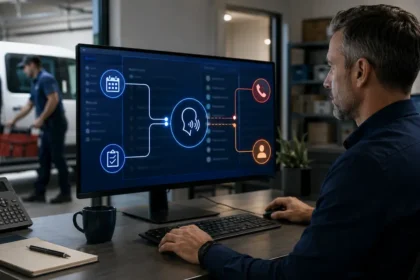
A contractor chatbot qualifies a lead when it gathers just enough reliable information to decide the right next step. It does not need to interrogate the visitor, diagnose the problem or decide whether the job will be profitable. A useful system confirms service fit, location, contactability, urgency and the requested action, then sends a complete record to the right person.
- Quick answer
- Define qualification for your business
- Choose a narrow starting scope
- Map the conversation before choosing software
- Use progressive qualification
- Ask about the problem without diagnosing it
- Verify service area carefully
- Handle urgency with rules and humility
- Collect contact details at the right moment
- Create an explicit lead outcome
- Route leads by action, not an opaque score
- Prepare the approved answer library
- Connect the systems deliberately
- Build a test matrix
- Measure qualification quality
- Prepare the office team for chatbot leads
- Frequently asked questions
- How many questions should a lead chatbot ask?
- Should the bot ask for budget?
- Can it book jobs automatically?
- Should every visitor receive a lead score?
- What happens when the visitor asks an unrelated question?
- How do we keep qualification current?
- Related Oivic guides
- Authoritative resources
- Qualify for the next action
Quick answer
Build the chatbot around a small number of visitor intents. Ask progressive questions, beginning with the service need and location; collect contact details only when there is a clear next step. Use deterministic rules for territory, safety and routing, restrict answers to approved sources, offer human handoff, and test the CRM result as carefully as the conversation.
Define qualification for your business
Qualification is not one universal score. For an emergency repair company, a qualified lead may be a serviceable address, relevant symptom and reachable caller. For a remodeling contractor, qualification may include project type, property status, approximate timing and willingness to schedule a consultation. Write the minimum criteria for each service line.
Separate three decisions:
- Can the company potentially help? Service and territory fit.
- What should happen next? Call, appointment request, estimate review or other route.
- How quickly? Approved urgency and response rules.
Do not ask the chatbot to predict close probability before the business can reliably answer those operational questions.
Choose a narrow starting scope
Begin with two or three high-volume services on relevant landing pages. A broad bot trained on every service, city and policy is harder to test and more likely to make unsupported claims.
For the first pilot, a basement-waterproofing company might support inspection requests for visible water, dampness and foundation-wall concerns while routing structural emergencies and active-job complaints to people. A plumbing company might support routine repair intake but use an immediate safety branch for gas odor or flooding near electricity.
Map the conversation before choosing software
Draw each supported path from the first message to its final system action. Include normal answers, missing information, unsupported service, outside territory, safety trigger, request for a person and integration failure.
For every step, document:
- The question and why it matters
- Accepted answer types and validation
- Whether the answer changes routing
- What the bot may say next
- Which system field receives the value
- The human fallback
This prevents a vendor demonstration from becoming the business process.
Use progressive qualification
Ask easy, useful questions first. A practical order is service need, location, urgency, project details that affect routing, preferred next step and contact information. Do not demand an email address before confirming that the company performs the service.
Progressive qualification reduces friction and makes abandonment easier to interpret. If a visitor leaves after learning the company does not serve the area, that is different from leaving during an unnecessary ten-question form.
Ask about the problem without diagnosing it
Use neutral prompts such as “What are you noticing?” or “What would you like help with?” Follow with trade-specific options only when they clarify routing. Store answers as customer-reported observations.
The bot should not convert “water near the furnace” into “condensate pump failure.” It may flag water and heating equipment for review. The technician determines the cause.
Allow free text. Forced buttons can be helpful, but customers do not always fit the menu. Provide “something else” and a human path.
Verify service area carefully
Collect ZIP code or address according to how dispatch actually decides. City names alone are often unreliable. Validate the format and read back important details when voice or address autocomplete is involved.
Define border handling. The bot can create a provisional request for office review instead of making a false rejection or promise. Track outside-area outcomes to find territory configuration errors.
Handle urgency with rules and humility
Create a reviewed list of safety-sensitive observations and an approved response. The chatbot must not decide that a condition is safe or provide technical emergency diagnosis. It can display company-approved instructions, direct the visitor to emergency services when appropriate and alert a person.
Distinguish safety urgency from commercial priority. A high-value replacement request may deserve rapid sales follow-up but should not use the emergency queue. Keep the reasons visible in the record.
Collect contact details at the right moment
Once a valid next step is available, ask for the minimum contact information: name, preferred method and verified phone or email. For an on-site service, the location may already be captured. Explain when someone will respond.
Do not collect payment details, government identifiers, account passwords or unrelated household information in a general lead bot. Existing-customer account access needs stronger identity and permission controls.
Create an explicit lead outcome
End every conversation with one status:
- Confirmed appointment
- Appointment or estimate request awaiting review
- Human callback requested
- Live handoff completed
- Unsupported service
- Outside service area
- Visitor left before completion
The visitor and CRM should show the same outcome. If the integration fails, the bot should not state that a request was received unless a fallback record exists.
Route leads by action, not an opaque score
A score can help sort volume, but simple routing rules are easier to explain. A safety trigger alerts the on-call lead. A confirmed service-fit request goes to scheduling. A large project request goes to the assigned estimator. A complaint goes to the service manager.
If scoring is used, show the reasons and allow staff to correct them. Do not infer income, protected characteristics or willingness to pay from location or writing style.
Prepare the approved answer library
The chatbot needs concise public facts about services, exclusions, territories, hours, appointment types, fixed fees, financing statements, warranty process and preparation. Every answer needs an owner and update date.
When information is missing, instruct the bot to say that a team member will confirm. A truthful gap is safer than a fluent invention.
Connect the systems deliberately
Map each response to a CRM field, note, tag, task or appointment. Use validation and duplicate handling. Decide the source of truth when the website, CRM and scheduling platform disagree.
Monitor whether records are created successfully. Store enough audit information to connect the chat, decision and final action. Avoid granting broad customer or financial access when the bot only needs to create leads.
Build a test matrix
| Test group | Examples | Expected result |
|---|---|---|
| Normal fit | Clear service, valid address, available contact | Correct request or appointment |
| Ambiguous need | Vague symptom or multiple issues | Clarify or human review without diagnosis |
| Geography | Core, border and outside locations | Accurate territory action |
| Safety | Direct and indirect hazard language | Approved guidance and alert |
| Resistance | Refuses a field or asks for a person | Low-friction fallback |
| System failure | CRM or calendar unavailable | No false confirmation |
Use actual visitor phrasing, misspellings, short answers and mobile input. Verify the downstream record.
Measure qualification quality
Track completion, qualified leads, valid appointments, human response time, incorrect routing, false service-area rejection, corrected fields, booked jobs and completed-job gross profit. Review abandonment by conversation step.
Calculate precision and recall informally: of the leads marked qualified, how many truly fit; and of the leads that fit, how many the chatbot captured. Focusing only on one creates either junk volume or missed opportunities.
Prepare the office team for chatbot leads
A technically accurate chatbot can still fail when employees do not recognize its records or trust its fields. Show the office exactly where new chats appear, which fields were confirmed, which text came directly from the visitor and which classification was generated. Define how staff report an error without editing away the evidence.
Create a short response playbook for each outcome. Employees should know how quickly to contact a qualified lead, how to handle a provisional location, how to review an urgency flag and how to close a duplicate. During the pilot, discuss corrections in a weekly meeting and assign the fix to knowledge, conversation design, integration or operations.
Do not measure adoption by logins. Measure whether the team responds within the target and whether the customer reaches the intended next step.
Frequently asked questions
How many questions should a lead chatbot ask?
Only enough to determine the next action. Five useful questions can outperform twelve generic fields. Test abandonment and downstream completeness.
Should the bot ask for budget?
Only when budget changes a legitimate project route and the company has an approved way to use it. Explain the purpose and avoid using it as a proxy for protected characteristics.
Can it book jobs automatically?
Yes for standardized services with dependable rules. Complex jobs should become requests for human confirmation.
Should every visitor receive a lead score?
No. Explicit routing based on service, location, urgency and requested next step is often clearer for small contractor teams.
What happens when the visitor asks an unrelated question?
The bot should state its scope, offer approved contact options and avoid inventing an answer.
How do we keep qualification current?
Assign owners to services, territories, scheduling and policies. Retest whenever those rules or connected systems change.
Related Oivic guides
- Are AI Chatbots Worth It?
- What Your Contractor Chatbot Should Ask
- AI Lead Qualification Workflow
- Stop Chatbot Misinformation
Authoritative resources
- NIST Generative AI Profile
- FTC guidance on AI privacy and confidentiality
- CISA artificial intelligence guidance
Qualify for the next action
Oivic helps home service companies turn website conversations into accountable lead workflows. Define what dispatch or sales needs, then make every question earn its place.