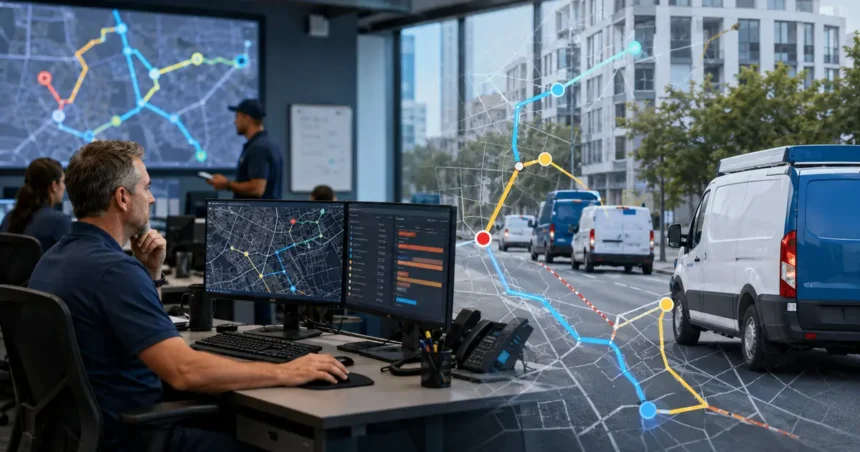
AI route optimization can reduce unnecessary driving and help a contractor sequence stops, but shortest distance is rarely the only goal. Home service routes must respect customer windows, technician skills, job duration, parts, breaks, emergencies and the possibility that field work runs long.
- Quick answer
- Route optimization is a constrained problem
- Benefits worth measuring
- Clean location data
- Use realistic job durations
- Model technician constraints
- Protect customer commitments
- Account for parts and first-time completion
- Use traffic and weather carefully
- Set stable planning intervals
- Pilot in one territory
- Measure actual impact
- Privacy and workforce considerations
- Calculate a defensible baseline
- Choose the optimization objective
- Manage route stability
- Include vehicle cost correctly
- Validate mapping and travel predictions
- Route-optimization pilot plan
- Route data checklist
- Compare route-optimization providers
- Include technicians in evaluation
- Create an exception library
- Set financial decision thresholds
- Common mistakes
- Optimizing distance only
- Using scheduled instead of actual duration
- Changing routes too often
- Ignoring the final leg
- No manual fallback
- Frequently asked questions
- How much can route optimization save?
- Does every vehicle need GPS?
- Can routes change automatically?
- What is the most important input?
- Should the nearest technician always get the job?
- How often should routes recalculate?
- Related Oivic guides
- Authoritative resources
- Optimize the service day, not only the map
Quick answer
Use route optimization after cleaning addresses, job durations and technician constraints. Treat promised windows and eligibility as hard rules, balance travel with on-time service and first-time completion, pilot recommendations in one territory, and compare actual miles, drive time, overtime and customer outcomes with a baseline.
Route optimization is a constrained problem
A map can find the shortest path between addresses. Field service optimization must decide which eligible person visits which job and when, while conditions change. Document the objective and constraints before choosing software.
Benefits worth measuring
- Lower drive time and fuel use
- More predictable arrivals
- Fewer cross-territory assignments
- Better use of technician capacity
- Faster response to cancellations and urgent work
A vendor’s estimated saving is not the company’s result. Measure actual routes.
Clean location data
Standardize full addresses, units, entrance notes and geocodes. Resolve duplicates and new developments. Confirm the service location rather than using a billing address.
Flag uncertain coordinates for review. A precise optimization using the wrong location is still wrong.
Use realistic job durations
Route quality depends on when technicians become available. Compare scheduled and actual duration by service, team and conditions. Include documentation and required loading time.
Use buffers for high-variance jobs. Do not shrink durations to make the route look efficient.
Model technician constraints
| Constraint | Example | Route effect |
|---|---|---|
| Skill or license | Specialized electrical work | Only eligible technicians considered |
| Start and end | Home dispatch or branch location | Accurate first and final travel |
| Equipment | Lift, jetter or special vehicle | Route work to available asset |
| Working hours | Shift, break and overtime limits | Prevent infeasible sequences |
| Territory | Branch or franchise boundary | Restrict cross-assignment |
Protect customer commitments
Arrival windows, access appointments and site restrictions are hard constraints unless a person obtains permission to change them. A route-saving recommendation should show affected customers and expected impact.
Account for parts and first-time completion
Sending the nearest technician without the right part or skill can create a second truck roll. Include verified inventory or part reservation when available. If data is unreliable, flag the requirement for dispatch review.
Use traffic and weather carefully
Real-time estimates can improve routes, but coverage and accuracy vary. Define how often plans recalculate and how changes reach technicians. Avoid constant route churn for minor predicted savings.
Set stable planning intervals
Create a morning plan, then allow changes for material events such as cancellation, major overrun or urgent job. A threshold reduces unnecessary notification and customer confusion.
Pilot in one territory
Choose a branch or service type with good data. Run recommendations beside dispatcher plans for several weeks. Record differences and reasons.
Then allow dispatch to apply selected suggestions. Do not begin with automatic customer-window changes.
Measure actual impact
- Miles and drive minutes per completed job
- On-time arrival
- Jobs per technician day
- First-time completion
- Overtime and idle time
- Route changes after the day begins
- Customer reschedules and complaints
- Fuel and vehicle operating cost
Normalize for service mix and territory. One distant high-value project can distort a daily average.
Privacy and workforce considerations
Vehicle and employee location data can be sensitive. Explain what is collected, when, why, who can access it and how long it is retained. Obtain qualified guidance for employment and privacy requirements.
Use location to operate the service, not for unrelated surveillance. Secure devices and accounts.
Calculate a defensible baseline
Use several representative weeks. Measure total drive minutes, miles, fuel, jobs, overtime, late arrivals and first-time completion by territory and service. Remove training days or major storms only if the reason is documented; otherwise the baseline may become artificially easy to beat.
Record how routes are currently created and changed. The pilot should compare the complete process, including dispatcher planning time and technician disruption.
Choose the optimization objective
Decide whether the first goal is fewer miles, more on-time arrivals, greater capacity or reduced overtime. Use guardrails for the other outcomes. A company may target travel reduction while requiring that predicted on-time performance and first-time completion do not decline.
Different teams may need different objectives. Maintenance routes are more predictable than emergency repair routes.
Manage route stability
Set a “freeze window” near the appointment when routes do not change except for a material event. Define a minimum benefit before moving a stop. A five-minute theoretical saving may not justify a new customer message and technician notification.
Track the number of changes each technician receives. Route churn is an operational cost even when the final map is shorter.
Include vehicle cost correctly
Fuel is only part of driving cost. Consider maintenance, tires, depreciation, tolls, parking and paid labor time. Use a consistent internal cost per mile or minute for comparisons, with finance reviewing assumptions.
Do not count all reduced miles as cash savings if vehicle and labor costs remain fixed. Separate avoided variable cost from added capacity.
Validate mapping and travel predictions
Sample urban, rural, gated, multi-unit and new-development addresses. Compare predicted and actual travel by time of day. Note roads unsuitable for service vehicles, parking requirements and branch departure patterns.
Let dispatch correct geocodes and record recurring map issues. Do not allow one bad coordinate to continuously distort routes.
Route-optimization pilot plan
- Clean addresses and establish the baseline.
- Load hard constraints and test historical days.
- Run recommendations beside existing routes.
- Allow dispatcher-approved changes in one territory.
- Compare actual results and technician feedback.
- Expand only when savings persist without harming service.
Route data checklist
- Service addresses are verified and geocoded.
- Technician start and end locations are accurate.
- Job duration includes field and documentation time.
- Skills, vehicles, parts and customer windows are modeled.
- Breaks, shifts and overtime limits are present.
- Recalculation and freeze rules are documented.
- Customer notification waits for approval.
- Location-data access and retention are limited.
- Actual routes feed the evaluation.
- A manual routing fallback is available.
Compare route-optimization providers
Ask whether the product supports time windows, skills, vehicles, breaks, multi-depot operations, recurring routes and dynamic events. Verify mapping coverage in the actual territory and whether technicians can report a bad location. Inspect how customer notifications are triggered.
Review pricing by vehicle, user, stop, API request and advanced optimization. Include mobile data, devices, installation, training and integration. Confirm export and access to historical actual routes so the company can independently calculate results.
Include technicians in evaluation
Ask field staff whether sequences reflect parking, access, branch pickup, road restrictions and realistic working conditions. Track suggestions that look efficient on a map but are impractical in the field. Explain location policy and provide a way to correct route data without weakening legitimate oversight.
Create an exception library
Document locations and situations that routinely defeat standard routing: ferries, toll crossings, restricted roads, gated communities, large campuses, parking-limited districts, supply-house stops and vehicles that cannot use certain routes. Convert repeatable facts into constraints or travel adjustments.
Review exceptions quarterly and after territory expansion. One experienced dispatcher’s memory should not be the only place the company stores a costly route rule.
Set financial decision thresholds
Define the minimum predicted time or variable-cost benefit required before changing an established route. Require a larger benefit when customers must be contacted or when the day is already underway. This prevents optimization for trivial theoretical gains.
Review whether predicted savings became actual savings. Persistent gaps reveal map, duration or status assumptions that need correction.
Record the reason when dispatch rejects a shorter route. Repeated reasons such as restricted access or supply pickup should become structured routing knowledge.
Common mistakes
Optimizing distance only
This can damage windows, skills and first-time completion.
Using scheduled instead of actual duration
Historical calendar blocks may not reflect field reality.
Changing routes too often
Constant optimization creates distraction and customer confusion.
Ignoring the final leg
Home dispatch, branch return and vehicle rules affect total cost.
No manual fallback
Dispatch needs an operational plan when maps or integrations fail.
Frequently asked questions
How much can route optimization save?
Results depend on density, baseline routing, service mix and data. Run a measured pilot rather than assuming a generic percentage.
Does every vehicle need GPS?
No, but real-time location can improve dynamic routing. A schedule and address pilot can begin without continuous tracking.
Can routes change automatically?
They can, but begin with dispatcher approval and protect customer commitments.
What is the most important input?
Accurate addresses, realistic duration and technician eligibility are foundational.
Should the nearest technician always get the job?
No. Skill, parts, workload, customer relationship and future stops may matter more.
How often should routes recalculate?
Use material-event thresholds. Recalculation frequency should improve outcomes without creating churn.
Related Oivic guides
- AI Dispatching for Contractors
- AI Scheduling for Home Services
- Reduce Scheduling Gaps
- Best GPS Tracking Software
Authoritative resources
Optimize the service day, not only the map
Oivic helps contractors combine routes with skills, duration and customer commitments so mileage savings support better field performance.