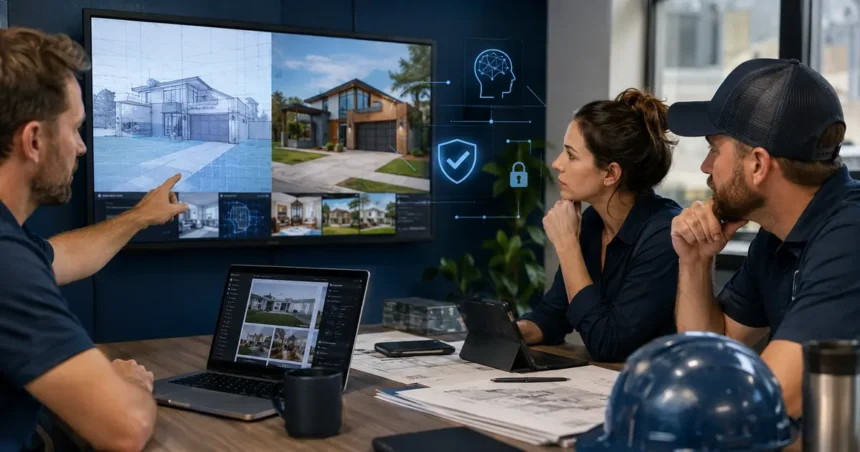
AI image tools can help contractors create diagrams, generic campaign concepts, background cleanup and visual planning. They become misleading when generated scenes are presented as completed projects, real employees, exact products or guaranteed results. Ethical use starts with labeling, provenance, permissions and a clear distinction between evidence and illustration.
- Quick answer
- Good practical uses
- Uses that require strong restrictions
- Separate illustration from proof
- Use clear labeling
- Protect customer and property privacy
- Respect employee likeness
- Maintain technical accuracy
- Preserve before-and-after integrity
- Create an asset provenance record
- Use accurate alt text
- Build a review workflow
- Evaluate image providers
- Common contractor mistakes
- Create an image policy
- Plan a real photography library
- Review composites and enhancements
- Handle manufacturer and brand assets
- Test for bias and representation
- Optimize image performance
- Respond to an image incident
- Image approval checklist
- Create image categories and rules
- Use references responsibly
- Review prompt and output together
- Plan social-media crops
- Handle text inside generated images
- Compare cost with real photography
- Audit published assets
- Frequently asked questions
- Can contractors use AI images on blog posts?
- Should every AI image be labeled?
- Can AI improve a real project photo?
- Can generated workers wear the company uniform?
- Are AI images good for technical diagrams?
- Who should approve images?
- Related Oivic guides
- Authoritative resources
- Use generated visuals as illustration, not evidence
Quick answer
Use AI images for clearly illustrative content, concepts, diagrams and non-deceptive marketing support. Use real photos for project proof, team identity, before-and-after evidence and product-specific claims. Obtain permission for source images, avoid impersonation and unsafe edits, label material visuals, write accurate alt text, and keep records of how assets were created.
Good practical uses
- Generic educational illustrations
- Concept mood boards for internal discussion
- Simple visual metaphors for blog featured images
- Background removal or cleanup that does not change evidence
- Annotated diagrams based on verified information
- Non-photorealistic seasonal social graphics
- Draft layout concepts before real photography
Uses that require strong restrictions
Do not create a fake completed installation, customer home, review, employee portrait, certification, damage condition or before-and-after result and present it as real. Do not add safety equipment, repairs or materials to a job photo after the fact to make the work look compliant.
Separate illustration from proof
| Content need | Preferred asset |
|---|---|
| Portfolio or case study | Real project photo with permission |
| Meet the team | Real employee photography |
| Exact product appearance | Approved manufacturer or real installed product image |
| Blog concept | Clearly illustrative AI or licensed stock image |
| Technical diagram | Verified diagram reviewed by qualified person |
| Future design concept | Labeled rendering, not a promised result |
Use clear labeling
Label a material rendering, concept or AI illustration where viewers could reasonably mistake it for evidence. Placement should be visible near the image. A disclosure buried in a general footer may not correct a misleading impression.
Protect customer and property privacy
Do not upload customer faces, addresses, license plates, documents, access points or private interiors to a public image tool without approved permission and data handling. Remove metadata and identifiers where appropriate.
Review provider retention, model-training use, ownership terms and deletion.
Respect employee likeness
Do not create or alter a recognizable employee without consent. Avoid synthetic spokespeople that imply a real licensed technician or customer endorsement. If a virtual character is used, make the nature and role clear.
Maintain technical accuracy
Image generators commonly create impossible tools, unsafe wiring, incorrect protective equipment, extra limbs, wrong labels and invented product details. A qualified person should review trade images before publication.
Do not use a generated diagram for installation, repair or safety instructions unless it has been independently verified.
Preserve before-and-after integrity
Use images from the same project, with honest framing and no edits that change the work. Basic exposure and color correction are acceptable when they do not conceal defects or add results. Keep originals.
Create an asset provenance record
- Filename and intended use
- Real, stock, generated or composite status
- Source and license or permission
- Prompt and referenced assets where applicable
- Material edits
- Reviewer and approval date
- Required disclosure
Use accurate alt text
Describe what the image communicates in context. Do not claim an AI concept is a completed local project. Decorative images may use empty alt text where appropriate; meaningful diagrams need concise descriptions.
Build a review workflow
- Define the communication purpose.
- Decide whether real evidence is required.
- Check source permission and privacy.
- Generate or edit within documented boundaries.
- Review technical accuracy and visual artifacts.
- Add labeling and alt text.
- Record provenance and approve publication.
Evaluate image providers
Review commercial-use terms, indemnity where relevant, training and retention of uploads, deletion, content controls, resolution, editing and provenance features. Terms can change, so verify current documentation.
Common contractor mistakes
Fake portfolio growth: generated installations appear among real projects. Unsafe stock-like scenes: workers lack correct PPE or equipment. Product invention: the image resembles no approved system. Misleading cleanup: removing cracks or damage from evidence. Alt-text inflation: describing a conceptual scene as a local customer result.
Create an image policy
Define approved tools, prohibited uploads, disclosure rules, review roles, portfolio standards, likeness consent, record retention and incident response. Train marketing agencies and freelancers as well as employees.
Plan a real photography library
AI should not become a substitute for documenting actual work. Create a shot list for before, preparation, materials, process, safety, finished result and contextual detail. Obtain permission and avoid revealing addresses, children, valuables or security systems.
Store original files with project, date, photographer, permission and approved uses. A good real library makes ethical marketing easier.
Review composites and enhancements
Compositing a real product into a different property or changing colors can affect customer expectations. Label design concepts and keep the original. Do not use generative fill to hide surface damage, add unavailable accessories or make a finish appear more uniform than delivered.
Handle manufacturer and brand assets
Use current approved logos and product media according to license and brand guidance. Do not ask AI to recreate a trademark or product photograph in a way that implies authorization. Verify model, color and configuration.
Test for bias and representation
Generated teams and customers may reproduce stereotypes about trades, roles, neighborhoods or homeowners. Review who is shown doing skilled work, wearing safety equipment and interacting with customers. Avoid tokenized or unrealistic scenes.
Optimize image performance
Use appropriate dimensions, compression and modern formats such as WebP where supported. Crop for mobile and social contexts without removing necessary disclosure. Do not sacrifice readable diagram labels.
For Oivic featured images, the approved package uses 1200 × 630 WebP assets with descriptive filenames and SEO alt text.
Respond to an image incident
Remove or pause a misleading asset, preserve its provenance, identify every placement, replace cached and social copies where possible, and correct affected captions or claims. Contact people whose likeness or property was used without permission and obtain appropriate guidance.
Image approval checklist
- The image purpose is documented.
- Real evidence is used where proof is required.
- Source rights and permissions are confirmed.
- Private property details are removed.
- Technical and safety elements are correct.
- Material generation or alteration is labeled.
- Alt text describes the actual visual.
- Original and provenance records are stored.
- File size and crop are optimized.
- A named reviewer approved publication.
Create image categories and rules
Classify assets as documentary, illustrative, conceptual, instructional or decorative. Documentary images allow only edits that preserve evidence. Conceptual images require labeling when realism may confuse. Instructional visuals require qualified verification. Decorative assets should not imply factual claims.
Use references responsibly
Only upload images the company owns or is permitted to use. A prompt asking for another photographer’s exact style or a competitor’s branded project can create rights and trust concerns. Describe the needed composition and business purpose instead.
Review prompt and output together
The prompt may contain customer names, addresses or internal details that never appear in the final image. Store and protect prompts according to data policy. Check outputs for unexpected logos, faces, text and identifiable property.
Plan social-media crops
A disclosure visible on the website image may disappear in a square or vertical crop. Build labeling into each approved rendition. Verify that captions do not convert a concept into a claim when the asset is reposted.
Handle text inside generated images
Image models often create misspelled or distorted labels. Add important text in a controlled design tool after generation. For technical diagrams, keep labels as editable, reviewed elements rather than baked into an uncertain image.
Compare cost with real photography
AI may be inexpensive per image, but review, correction and trust risk have cost. Budget periodic professional or employee project photography for proof. Use generation where illustration is genuinely the right medium.
Audit published assets
Quarterly, sample portfolio, service, blog, ad and social images. Confirm source, permission, disclosure, technical accuracy and alt text. Remove assets whose provenance is unknown or whose context changed.
Record replacements and redirects so outdated assets do not remain in cached campaign templates.
Check agency and franchise libraries too.
Frequently asked questions
Can contractors use AI images on blog posts?
Yes, when they are appropriate illustrations and do not misrepresent projects, people, products or results.
Should every AI image be labeled?
Label when the image could materially be mistaken for real evidence or when required. Use a consistent policy.
Can AI improve a real project photo?
Basic cleanup may be acceptable, but do not alter the documented work or remove material conditions. Keep originals.
Can generated workers wear the company uniform?
This can imply a real employee or completed job. Use caution, authorization and clear context.
Are AI images good for technical diagrams?
Not without qualified verification. Code-native diagrams or professional technical illustration may be safer.
Who should approve images?
Marketing reviews message and rights; a qualified trade reviewer checks technical and safety accuracy.
Related Oivic guides
- AI Content Tools for Contractors
- Fact-Check AI Content
- Use AI Without Misleading Customers
- AI Privacy Risks
Authoritative resources
Use generated visuals as illustration, not evidence
Oivic helps contractors create content workflows that protect project authenticity, customer privacy and brand trust.